
Raèld Vertex. Louder, with every peak held.
A look-ahead true-peak limiter for finishing a master and for controlling single tracks and buses. It makes the sound louder while holding every peak, including the peaks between samples, under the ceiling you set. Eight styles cover everything from invisible to loud, and ASSIST tries every one of them on your music to suggest the cleanest way to your target.
One-time payment · 3 computers · Instant download
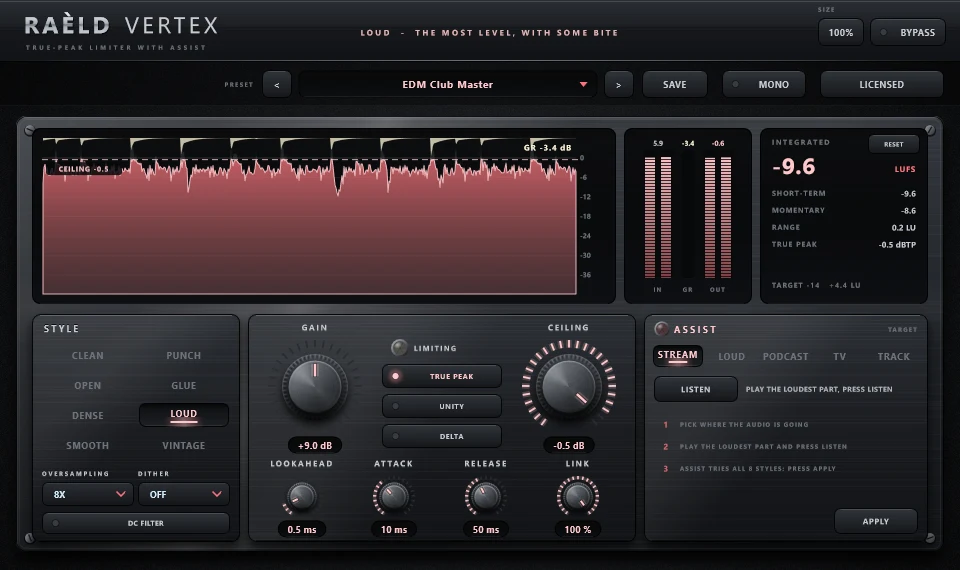
It tries all eight styles for you
Pick where the audio is going, play the loudest part and press LISTEN. ASSIST runs the real limiter over what it heard in every style, finds the GAIN that reaches your target for each, and picks the one with the least gain riding, pumping and distortion. One APPLY sets everything.
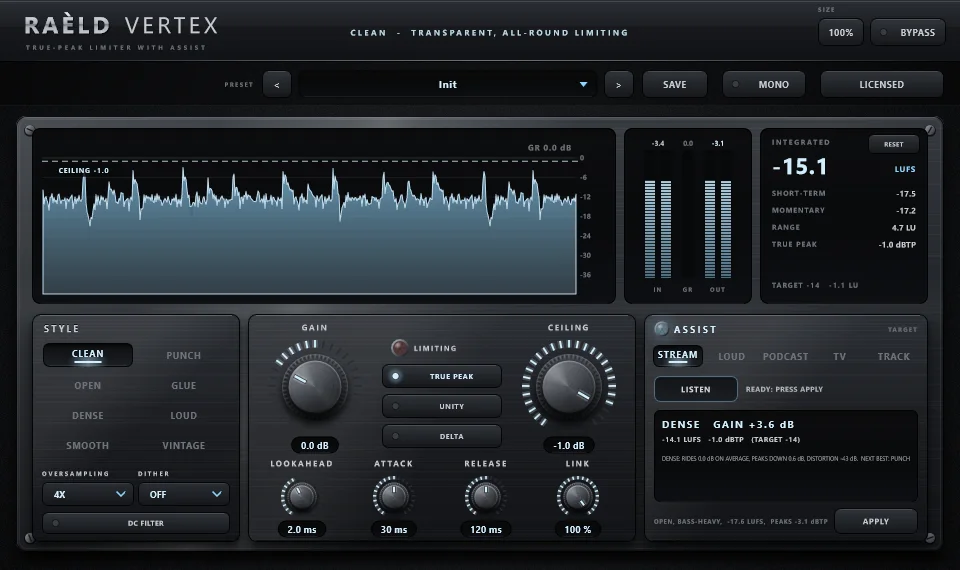
| Target | ASSIST aims for |
|---|---|
| STREAM | −14 LUFS integrated, −1 dBTP |
| LOUD | −9 LUFS, −1 dBTP: a loud, competitive master |
| PODCAST | −16 LUFS, −1 dBTP: spoken word |
| TV | −23 LUFS, −1 dBTP: broadcast to EBU R128 |
| TRACK | peaks held about 3 dB, −1 dBTP: a single track or bus |
It tells you what it heard (punchy, dense or open; bass-heavy or not; its loudness and peaks) and warns you when a target needs so much limiting that it will sound squashed. Its suggestion is a measured starting point for that audio: always listen, and compare with UNITY.
From invisible to loud
Each style has its own way of easing into and letting go of the peaks, and its own light colour; the body stays the same dark, polished metal. Each screenshot shows a preset made for that style. Pick one below to see it.
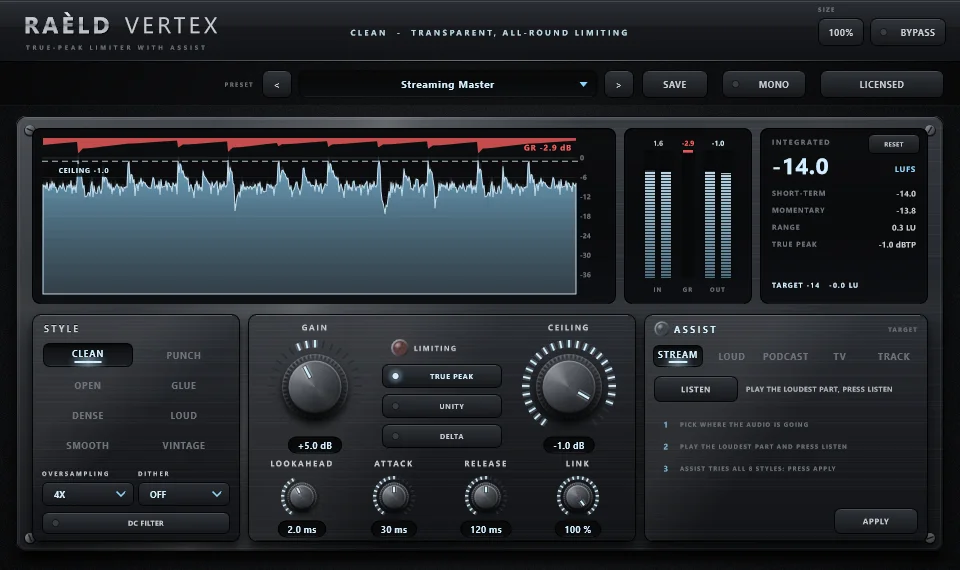
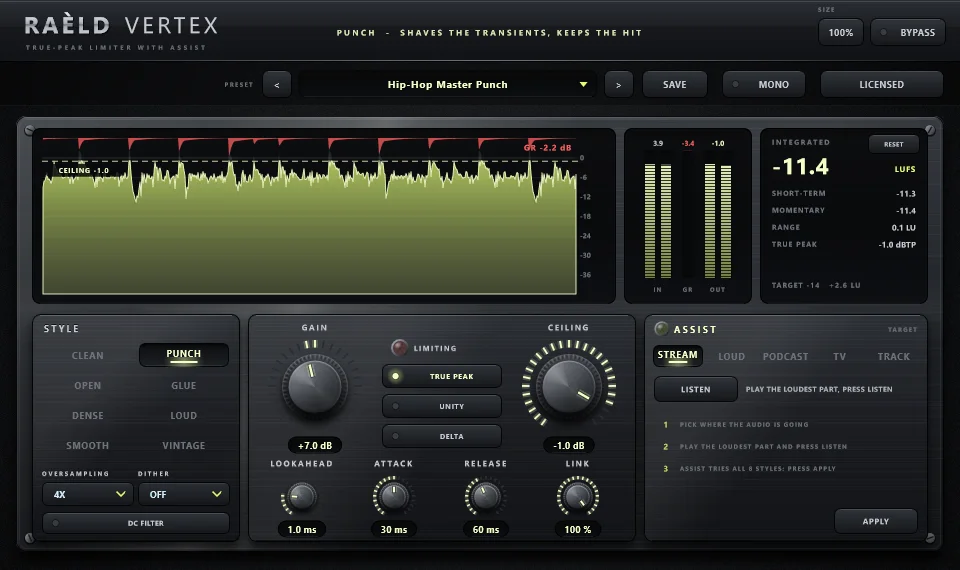
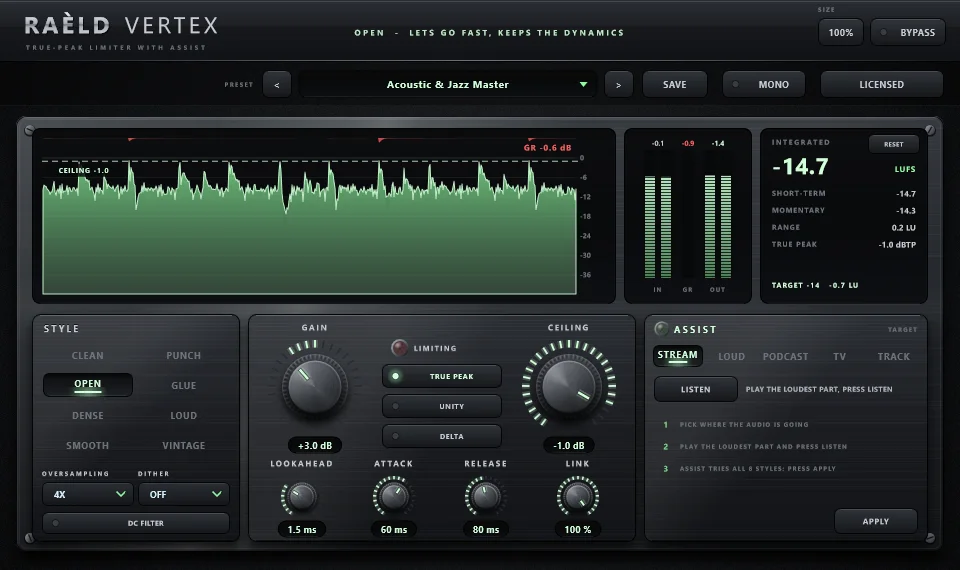
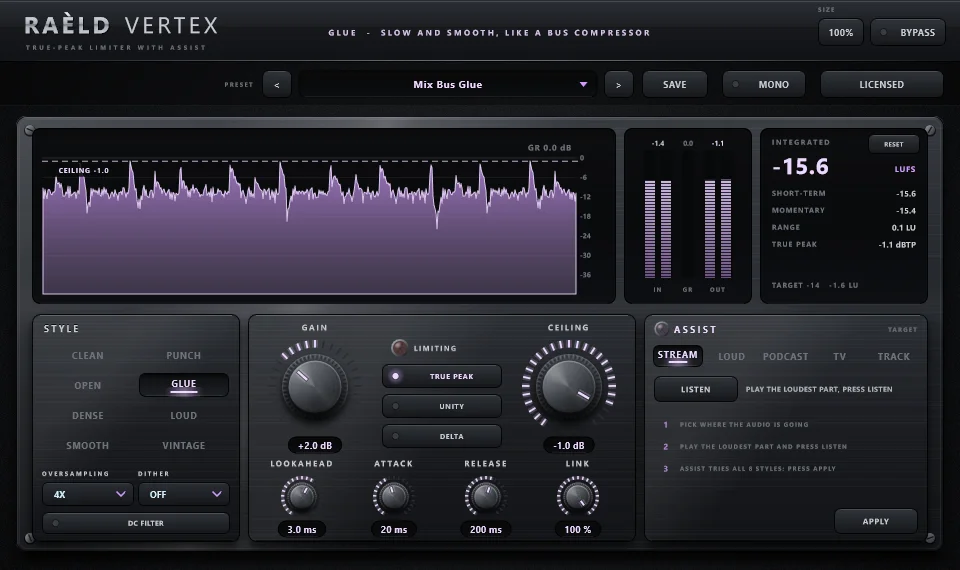
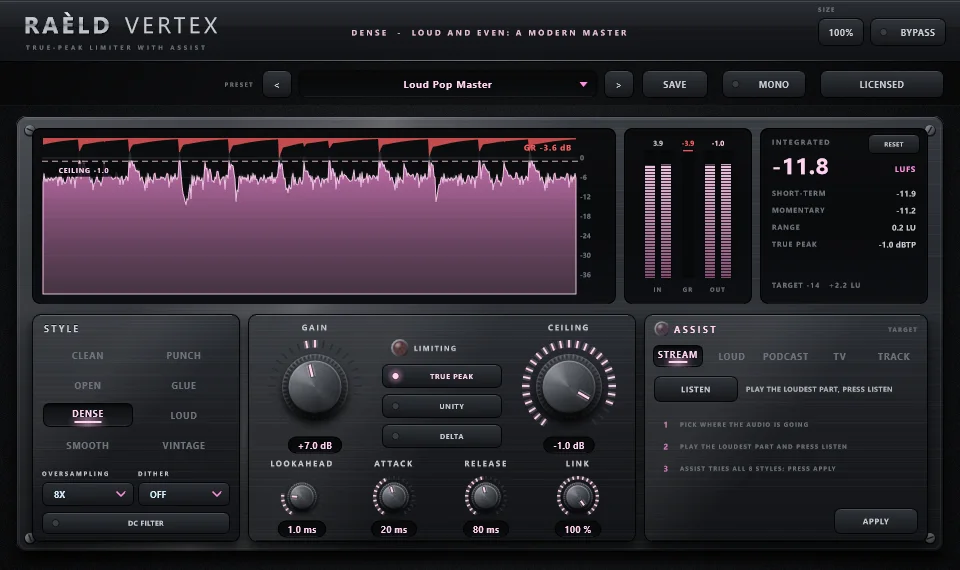
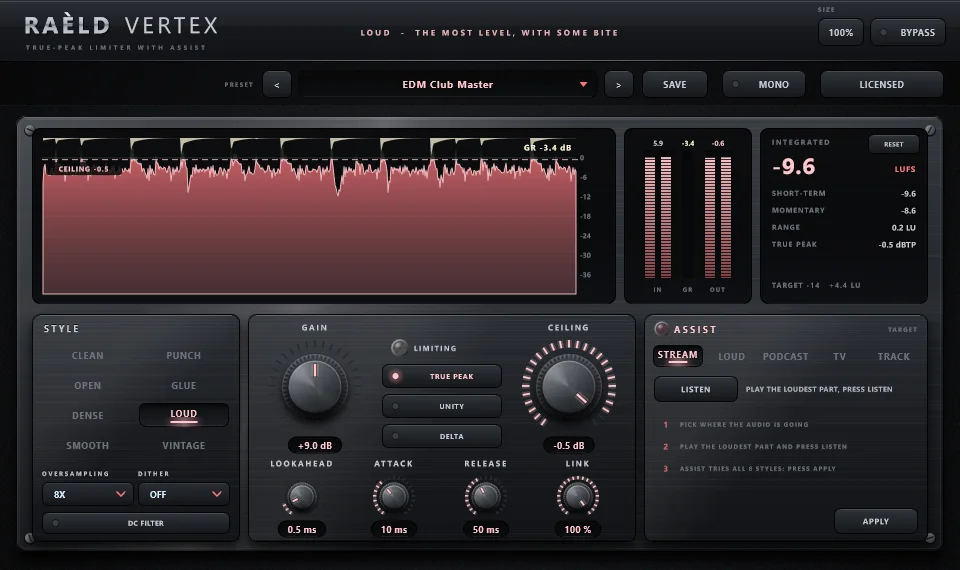
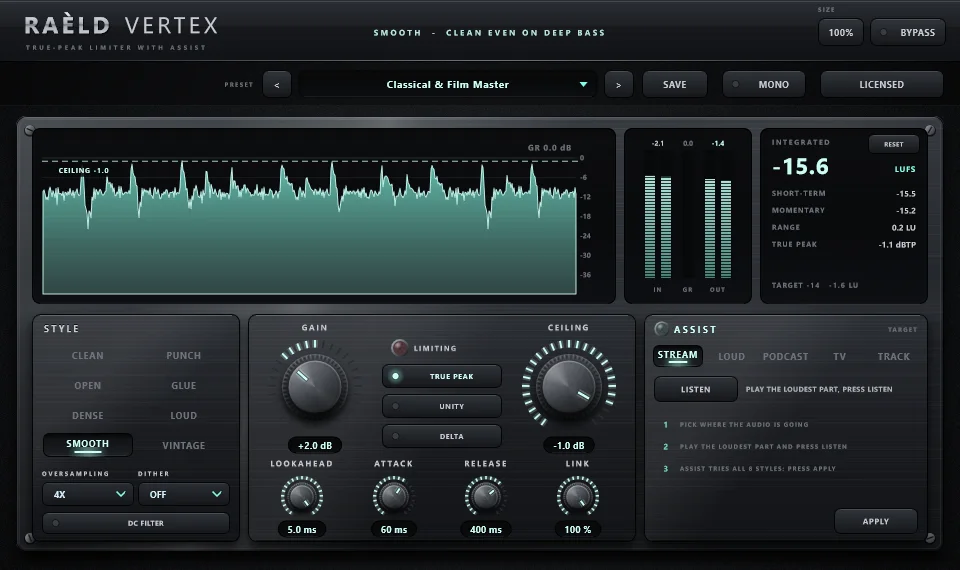
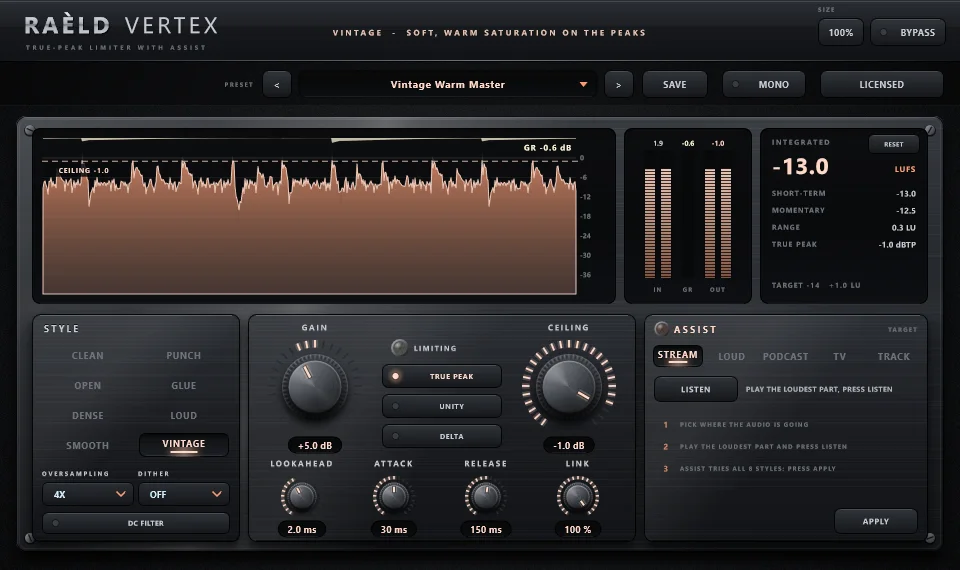
LOUD · shown with the EDM Club Master preset
Everything a final limiter needs
True peak, held
TRUE PEAK holds the peaks between samples too, as streaming and broadcast meters measure them. Measured: a mix driven 18 dB into a −1 dBTP ceiling peaks at most −0.99 dBTP in every style, at 1x to 16x.
The controls you reach for
GAIN, CEILING, LOOKAHEAD, ATTACK, RELEASE and stereo LINK on 3D machined knobs. OVERSAMPLING from off to 16x, DITHER (24-bit, 16-bit, 16-bit noise-shaped) and a DC FILTER.
UNITY and DELTA
UNITY turns the output down by GAIN, so you hear what the limiting does at the same loudness. DELTA plays only what the limiter takes away: if you hear the music in it, it's working too hard.
See it limit
A scrolling display of input, output and gain reduction under the ceiling line, IN, GR and OUT peak meters, and a loudness panel: integrated, short-term, momentary, range and true-peak max, to ITU-R BS.1770 / EBU R128.
Untouched below the ceiling
Only the limiter's own changes go through the oversampling filters, so audio below the ceiling comes out bit-for-bit identical at any oversampling. Latency at the defaults: 6.4 ms, reported to your DAW.
Mono, mono-to-stereo and stereo
Runs on any of the three track types; your DAW picks automatically. A MONO switch folds the output to mono to check how the master holds up on a mono speaker.
What we measured
Measured on test signals with known properties so the results can be checked exactly. ASSIST's choices depend on your music; trust your ears over any number.
| Test | Result |
|---|---|
| A mix driven 18 dB into a −1 dBTP ceiling | true peak at most −0.99 dBTP in every style, at 1x to 16x |
| Audio below the ceiling | bit-for-bit identical at any oversampling |
| Loudness meter, EBU Tech 3341 / 3342 test cases | −23.0 LUFS; 10.0 LU range |
| LOUD's clipper fold-back | −39 dB at 1x, −94 dB at 4x |
| A 50 Hz tone, 6 dB of limiting: THD | SMOOTH 0.007%, CLEAN 0.13% |
| ASSIST on a test mix, target STREAM | −14.0 LUFS and −1.0 dBTP, in about 1 second of thinking |
| CPU (stereo, 48 kHz, heavy limiting) | 1.1% of one core at 1x, 2.7% at 4x (the default), 6.0% at 16x |
| Latency at the defaults | 308 samples (6.4 ms at 48 kHz), reported to the DAW |
20 presets to start from
Each sets a style, ceiling, timing and oversampling for its job. GAIN in the presets suits a mix peaking around −6 dBFS; for your own track, let ASSIST set it.
| Use | Presets |
|---|---|
| Mastering | Streaming Master, Loud Pop Master, Hip-Hop Master Punch, EDM Club Master, Rock Master Dense, Acoustic & Jazz Master, Classical & Film Master, Vintage Warm Master, Transparent 16x Master, CD Master 16-bit, Broadcast R128, Podcast Voice |
| Tracks and buses | Mix Bus Glue, Drum Bus Peak Catcher, Kick & Snare Smash, Bass Even, Vocal Peak Control, Synth & Keys Shine, Guitar Bus Dense, Safety Ceiling |
Own it, or get it with everything else
Raèld Vertex
One-time payment. No subscription.
- Eight styles and ASSIST, plugin and standalone
- One license for up to 3 of your computers
- Never expires, works offline 30 days at a time
- Download link and license key by email, instantly
Every Raèld plugin
or $99/year
- Raèld Vertex plus every other Raèld plugin
- Every new plugin the day it's released
- One key for all of them, on 3 computers
- Cancel anytime
Secure checkout by Lemon Squeezy. Sales tax and VAT calculated at checkout.
Windows 10/11 (64-bit), VST3 and standalone. Download Raeld-Vertex-1.0.0-Windows.zip; DAWs list it as "Raeld Vertex", so type "raeld" to find it.
Good to know
Where does it go?
Last on your master, or on any track or bus you want to control. For a master, set the ceiling to −1 dBTP with TRUE PEAK on.
Which style should I start with?
Let ASSIST choose: it tries all eight on your music. By hand, CLEAN suits any genre, PUNCH keeps drums hitting, OPEN keeps the dynamics, GLUE settles a bus, DENSE and LOUD go for level, SMOOTH keeps deep bass clean, and VINTAGE adds warmth to the peaks.
Will my master be accepted by streaming services?
ASSIST aims for the level you pick (STREAM is −14 LUFS at −1 dBTP), and the loudness panel shows where you stand. Each platform makes its own decisions about loudness, so use the meter and your ears to choose.
How much oversampling do I need?
4x is the default and a good balance. Higher is cleaner and uses more CPU: measured 1.1% of one core at 1x, 2.7% at 4x and 6.0% at 16x. Audio below the ceiling is untouched at any setting.
Does it add latency?
Yes: it looks ahead to ease into each peak. At the defaults it's 6.4 ms (308 samples at 48 kHz). It depends on OVERSAMPLING, LOOKAHEAD and TRUE PEAK, and is reported to your DAW, which compensates automatically.
Does it work on mono tracks?
Yes. It runs on mono, mono-to-stereo and stereo tracks, and your DAW picks automatically. On a mono-to-stereo track the mono source feeds both sides. The MONO switch folds the output to mono, to check how the mix holds up on a mono speaker. It's click-free, works while bypassed, and isn't saved in presets. The bottom bar shows how it's running: MONO, STEREO or MONO > STEREO.
Can I try it first?
Yes. Without a key it runs as a full demo; the only limit is a short dropout every 45 seconds. Enter a Raèld Vertex key or your All Access key any time to unlock it.
Read the Raèld Vertex manual · Download · All support questions →
Raèld Vertex is an original design and is not affiliated with or endorsed by any other manufacturer.