
Raèld Tune. Every note, right where you want it.
Correct a vocal as it plays, from a gentle natural polish to the classic hard-tune effect, or capture a take and edit it note by note on a piano roll. Raèld Key comes with it: it finds your song's key and tuning and sends them to Tune for you.
Two plugins, one license · 3 computers · Instant download
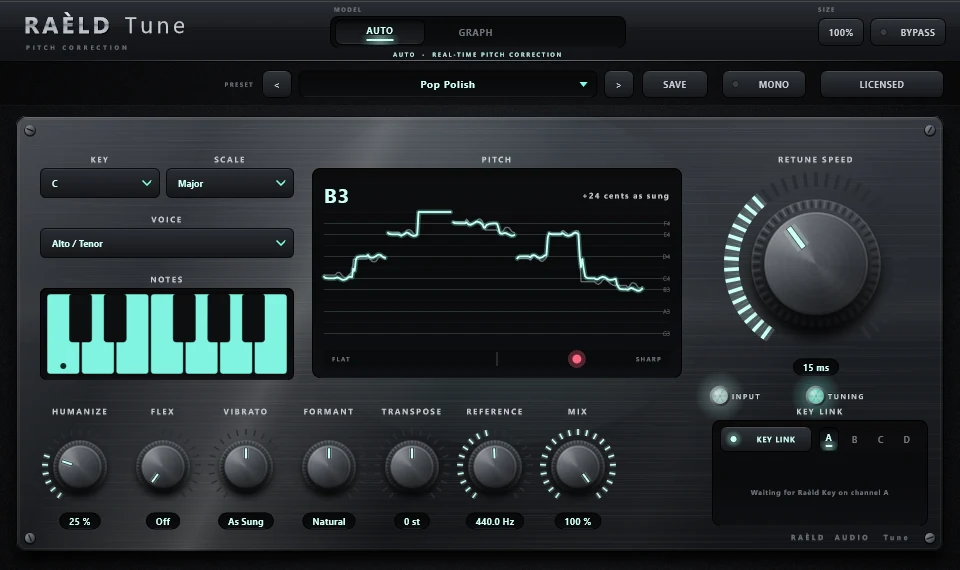
Real-time correction, from natural to robotic
Pick the key and the voice range, set the retune speed, and the vocal lands in tune as it plays.
Key, scale and notes
13 scales, including major, minor, harmonic and melodic minor, pentatonics, blues and the modes. Click a note on the keyboard to take it out of the scale.
Retune Speed
0 ms gives the classic hard-tune, robotic vocal effect. 20–60 ms gives a natural pop polish. Hard tune flattens a ±50-cent vibrato to ±2.4 cents.
Voice range
Soprano, Alto/Tenor, Low Male or Instrument, so the pitch is heard right for the source.
Humanize, Flex, Vibrato
Humanize keeps long notes natural. Flex only corrects notes that are already close, leaving slides and bends alone. Natural Vibrato goes from −100% (removed) to +100% (doubled, or brought back with hard tune).
Formant
The voice keeps its own character when the pitch moves; measured, the formants stay put. Turn it for a deeper or brighter voice.
Pitch display
Sung against corrected pitch, live, with the note name and a cents meter. Transpose, Reference pitch (A = 415–466 Hz) and Mix complete the panel.
Tune and Key, in every mode
Each mode has its own light colour, so you can tell at a glance where you are; the body stays the same dark, polished metal. Pick one below to see it.
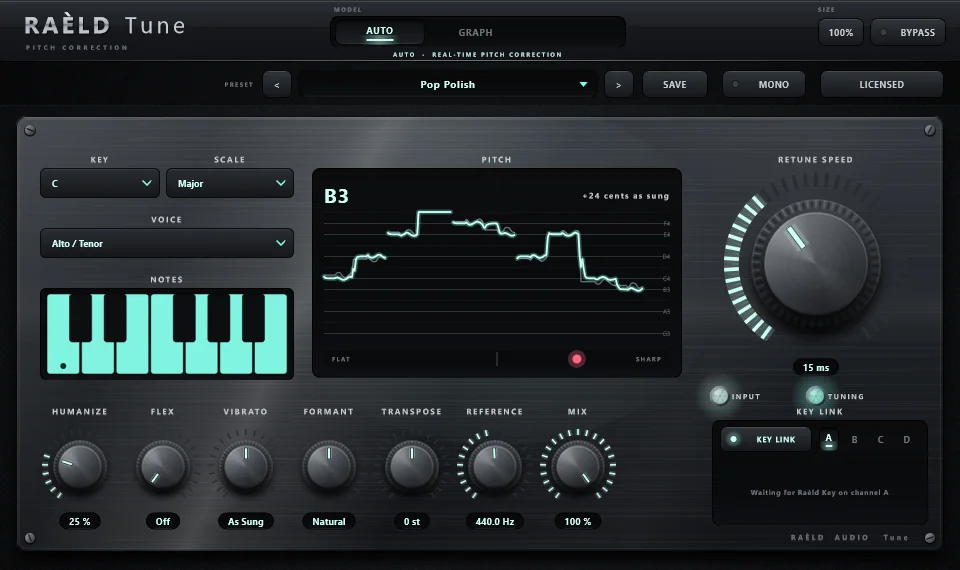
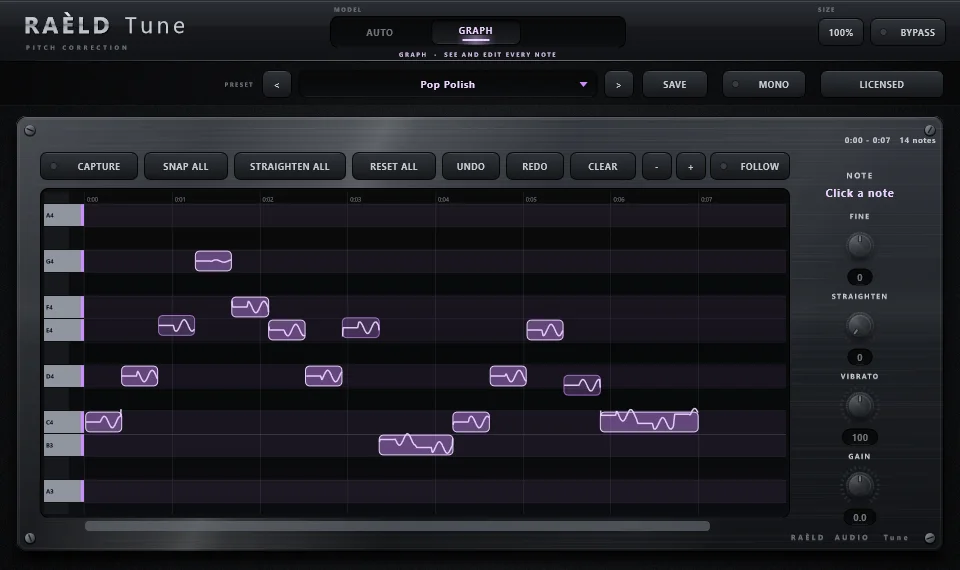
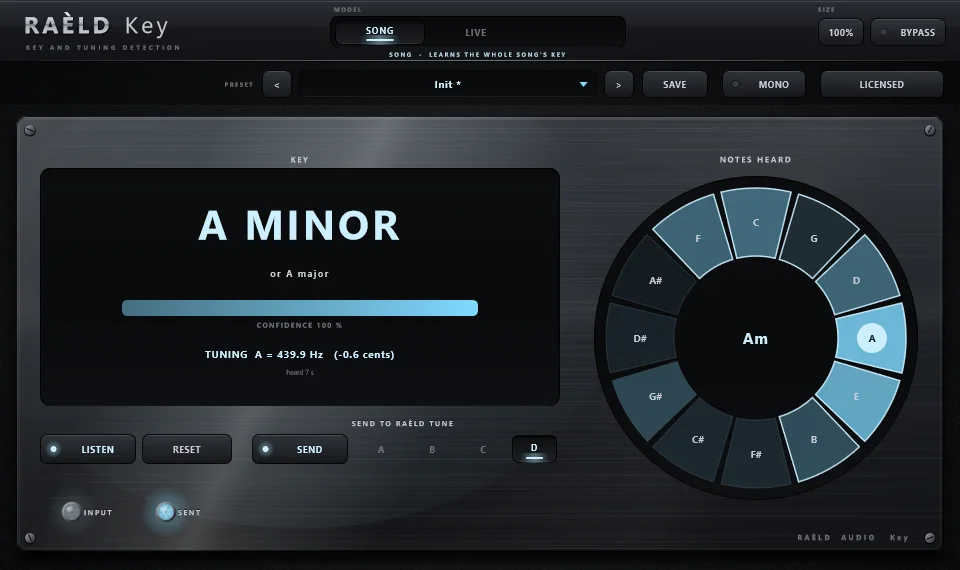
TUNE · AUTO · real-time pitch correction
Edit a take note by note
Capture a vocal, then move, snap and steady every note on a piano roll.
Capture
Press CAPTURE and play the vocal in your DAW.
Stop
Every note appears on the piano roll, with the pitch as sung drawn inside it.
Edit
Drag notes up or down in semitones (Alt for free), or double-click to snap a note to the key.
Keep it
Edits are saved with the DAW project and play back in place.
Whole-take tools
SNAP ALL, STRAIGHTEN ALL, RESET, UNDO and REDO. Drag across the roll to select several notes.
Per-note controls
Fine (cents), Straighten (flattens drift), Vibrato (0–200%) and Gain (±12 dB) for each note.
Notes as a musician hears them
A slide belongs to the note it leads into, a wide vibrato stays one note, and a semitone step makes a new note.
Graph mode is monophonic: it's made for vocals, solo instruments and single-note samples, and it doesn't split chords into separate notes.
Finds the key, and tells Tune
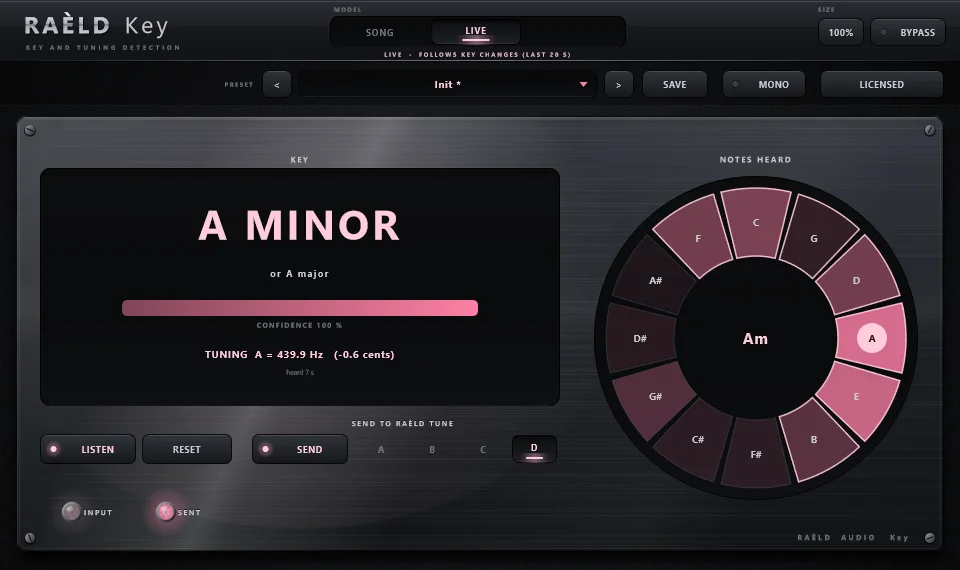
Put Raèld Key on the instrumental. It finds the key and the tuning (for example 432 vs 440 Hz) and sends both to every Raèld Tune with KEY LINK on the same channel letter, A to D. Tune switches key automatically.
Song or Live
Song mode learns the whole song. Live mode follows key changes, listening to the last 20 seconds.
Shows its working
The runner-up key and its confidence, plus a 12-note wheel of what it heard.
Untouched audio
The instrumental passes through Raèld Key untouched. In tests it named 36 of 36 progressions right, in every key, and measured tuning within 0.2 Hz.
What we tested
| Test | Result |
|---|---|
| Pitch detection, 55 Hz–1.2 kHz | within 0.5 cents |
| Correction | within 0.2 cents; a sung melody with slides within 0.11 cents |
| Hard tune on a ±50-cent vibrato | flattened to ±2.4 cents |
| Formants when the pitch moves | stay put |
| Breaths and consonants | pass through perfectly |
| Graph playback in a simulated DAW | every note within 0.17 cents, exactly in time |
| Moving one note in Graph | the rest of the take is untouched |
| Raèld Key | 36 of 36 test progressions right in every key; tuning within 0.2 Hz |
| CPU | 0.7–2.2% of one core |
| Latency | 26 ms (soprano) to 66 ms (instrument) at 48 kHz, compensated by your DAW automatically |
10 presets to start from
Presets never change the song's key or scale, so you can try them freely.
Own it, or get it with everything else
Raèld Tune + Raèld Key
One-time payment. No subscription.
- Raèld Tune and Raèld Key, plugins and standalone apps
- One license unlocks both, on up to 3 of your computers
- Never expires, works offline 30 days at a time
- Download link and license key by email, instantly
Every Raèld plugin
or $99/year
- Raèld Tune and Raèld Key plus every other Raèld plugin
- Every new plugin the day it's released
- One key for all of them, on 3 computers
- Cancel anytime
Secure checkout by Lemon Squeezy. Sales tax and VAT calculated at checkout.
Windows 10/11 (64-bit), VST3 and standalone. Download Raeld-Tune-1.0.0-Windows.zip: one installer for both plugins. DAWs list them as "Raeld Tune" and "Raeld Key", so type "raeld" to find them.
Good to know
Natural correction or the hard-tune effect?
Both, from the same knob. Set Retune Speed to 20–60 ms for a natural pop polish, or to 0 ms for the classic robotic vocal effect. Hard Tune and Hard Tune Keep Vibrato are ready-made starting points.
Can Graph mode edit chords or a full mix?
No. Graph mode is monophonic: it works on vocals, solo instruments and single-note samples, one voice at a time. It doesn't split chords (a guitar, a piano) into separate notes.
Do I need Raèld Key?
No, you can set the key and scale in Raèld Tune yourself. Raèld Key saves the guesswork: put it on the instrumental and it finds the key and tuning and sends them to every Raèld Tune with KEY LINK on the same channel letter. It comes with Raèld Tune, on the same license.
Does it add latency?
Yes, a little, because it has to hear the pitch first: 26 ms for soprano up to 66 ms for instrument at 48 kHz. Your DAW compensates for it automatically.
Can I try it first?
Yes. Without a key both plugins run as a full demo; the only limit is a short dropout every 45 seconds. Enter a Raèld Tune key or your All Access key any time to unlock both.
Does it work on mono tracks?
Yes. Raèld Tune and Raèld Key run on mono, mono-to-stereo and stereo tracks, and your DAW picks automatically. On a mono-to-stereo track the mono source feeds both sides. The MONO switch folds the output to mono, to check how the mix holds up on a mono speaker. It's click-free, works while bypassed, and isn't saved in presets. The bottom bar shows how it's running: MONO, STEREO or MONO > STEREO.
Read the Raèld Tune and Raèld Key manual · Download · All support questions →
Raèld Tune and Raèld Key are original designs, not affiliated with or endorsed by any other manufacturer.