
Raèld Triad. Three ways to finish a vocal.
One plugin, three processors, one at a time. COMP makes a voice smooth and sits it in the mix. VOX brings it forward, on one fader. MAX brings the quiet words up level with the rest. Press a key to change, and each one keeps its settings until you come back.
One-time payment · 3 computers · Instant download · 2.0 is a free update for 1.0 owners
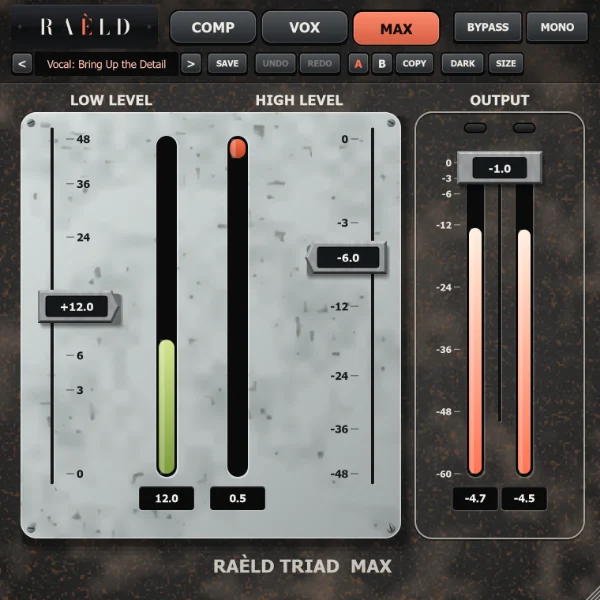
One switch, three jobs
Only one runs at a time, so each is simple and quick to use. Changing mode is a short crossfade with no click, and the latency stays the same.
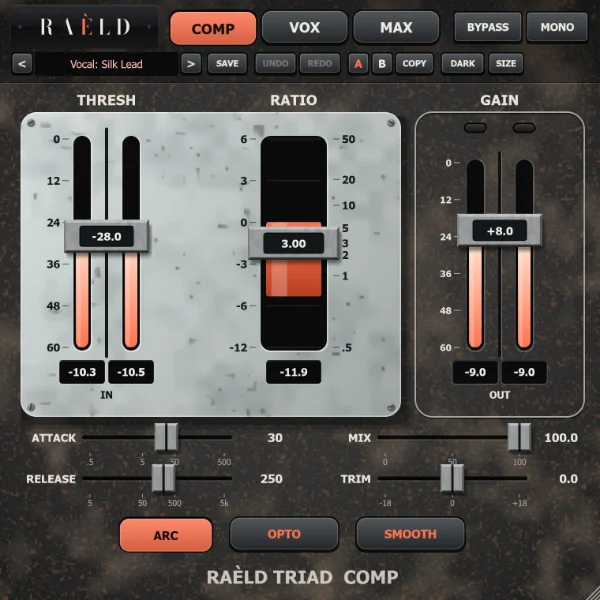
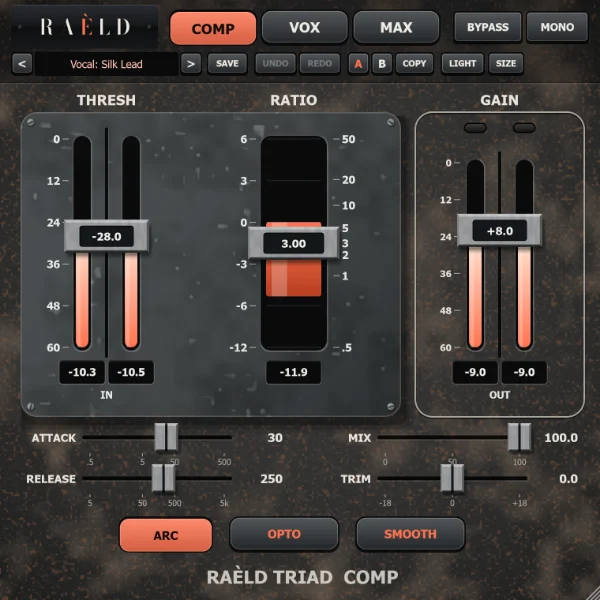
COMP: silky, and in the mix
A full compressor: THRESH, RATIO, ATTACK, RELEASE, GAIN, MIX, TRIM. ARC lets the release follow the music. One button changes between ELECTRO and OPTO, another between SMOOTH and WARM.
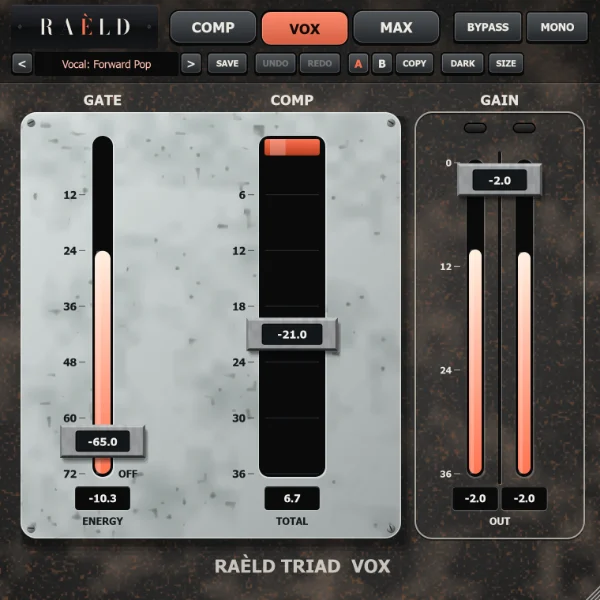
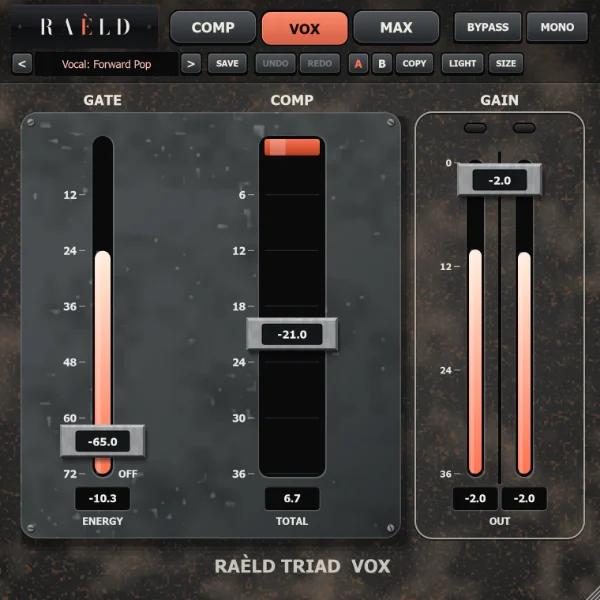
VOX: forward, on one fader
Lower COMP for more reduction and more level together, so the voice comes forward without getting louder at its peaks. GAIN sets the ceiling. A very gentle GATE lowers the room between phrases.
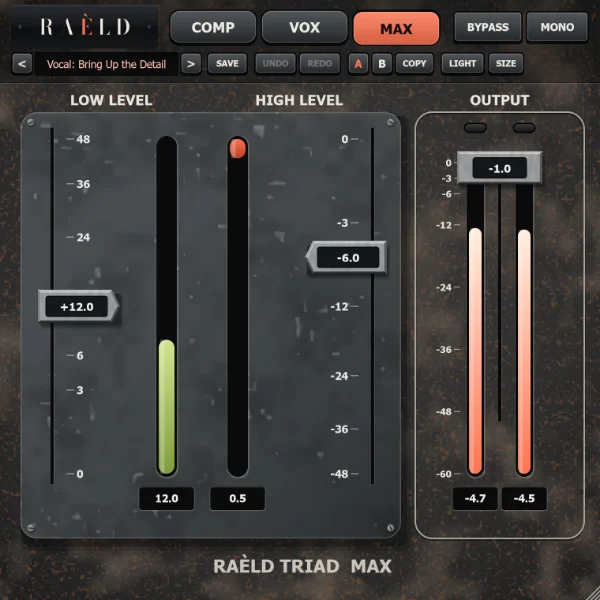
MAX: quiet parts level with the rest
LOW LEVEL brings soft words and quiet phrases up and leaves the loud parts alone, with the room under the voice left down. HIGH LEVEL compresses from above, with makeup. OUTPUT trims, and peaks can't pass it.
Worn iron, steel flags, light or dark
Steel flags carry each value along black strips of coral light. Where a fader and a meter share a scale, the flag reads true against the meter. A key in the head changes the enamel plate from pale to graphite. It opens small, at 471 × 471, and scales from 85 to 300 %.
Quick to use, and honest about what it does
Faders with a little weight
Each cap eases after its value. Drag it, Shift for fine steps, click along its travel, use the wheel or the arrow keys, double-click to reset. Every value is always in view, and every control has a tooltip.
Gain that rides the words
The detectors are built so a low voice's pitch doesn't shake the gain: what you hear is the level moving, not the waveform being reshaped.
A limiter at the end of every mode
A short look-ahead holds every sample at its ceiling, with lights that go yellow when it starts and red by 6 dB. It's on samples: for a master, follow it with a true-peak limiter such as Raèld Vertex.
Parallel in COMP
MIX blends the untouched sound in, in time, so any blend is free of comb filtering. TRIM sets the level after the limiter.
Mono, mono-to-stereo and stereo
Runs on any of the three track types; your DAW picks automatically. A MONO switch folds the output to mono, to check how it holds up on a mono speaker.
Untouched when it's neutral
With every control neutral, and in BYPASS, the output is the input, in time, bit for bit. The latency is constant and reported to your DAW. Undo and redo, A/B, and your own presets are all there.
What we measured
At 48 kHz, on test signals and a synthetic sung line whose phrases are 8.79 dB apart. Your ears, on your own vocal, have the last word: try the demo.
| Test | Result |
|---|---|
| Every control neutral, and BYPASS | the input, delayed by the latency, bit for bit |
| Latency | 64 samples (1.3 ms) at 44.1 and 48 kHz, in every mode; checked against the actual delay at every rate, buffer and mode |
| COMP on the sung line, 3:1 at −30 | phrases 8.79 to 2.60 dB apart |
| COMP, THD at 110 Hz, −10 dBFS | SMOOTH 0.013 %, WARM 0.125 % |
| VOX on the sung line, COMP −21, GAIN −2 | phrases 8.79 to 5.09 dB apart; peak over average 12.36 to 9.28 dB |
| MAX on the sung line, LOW LEVEL +12 | phrases 8.79 to 1.70 dB apart; the quiet phrase up 8.5 dB, the loud phrase up 1.4 dB |
| MAX, a room tone at −66 dBFS, LOW LEVEL +12 | not lifted |
| The ceiling, every material 12 dB hot | no sample over it |
| A mode change while playing, every fader moved while playing | no clicks |
| Sessions saved and reloaded | the same settings and the same sound, bit for bit |
| CPU, stereo at 48 kHz | about 1 to 2 % of one core in any mode |
Where it's weaker: the ceiling is on samples, and true peaks can read up to +3.4 dBTP on drums at deep settings. The modes aren't matched in level, so the sound can jump when you change mode.
29 presets, by mode and use
A preset sets its own mode and leaves the other two as they are. Init resets all three.
| Mode | Presets |
|---|---|
| COMP | Vocal: Silk Lead, Even Lead, Upfront Rap, Smooth Ballad. Bass: Solid Notes. Drums: Snappy Bus, Parallel Crush. Guitar: Acoustic Even. Keys: Gentle Glue. Mix: Bus Glue. Expander: Tighten the Room. |
| VOX | Vocal: Light Touch, Everyday Lead, Forward Pop, Dense Rap, Tucked Backing. Podcast: Even Speech, Noisy Room. Instrument: Guitar Leveler. Bass: Level Hold. |
| MAX | Vocal: Bring Up the Detail, Forward and Loud. Podcast: Quiet Words Up. Bass: Even Sustain. Drums: Room Up. Instrument: More Sustain. Mix: Loud and Open. Master: Gentle Lift, Loud. |
Thresholds assume a healthy recording level, with peaks around −10 to −6 dBFS. If your track is much quieter or louder, move them to suit.
2.0 is a free update
Raèld Triad 2.0 replaces 1.0: same plugin, same licence, rebuilt from scratch. 1.0 ran all its stages together in a chain, and 2.0 runs one at a time, so a 1.0 session can sound different. It opens with each value in its mode, in the first stage that was on. If a project relies on 1.0's sound, finish it before you update. Your 1.0 user presets are rewritten once, and each original is kept beside it.
| 1.0 | 2.0 |
|---|---|
| VOX, COMP and MAX in one chain, each with an ON switch | COMP, VOX or MAX, one at a time |
| VOCAL and INSTRUMENT | gone: choose a preset by use |
| A true-peak ceiling | a limiter on samples in every mode; follow a master with a true-peak limiter |
| LOW LEVEL's lift, HIGH LEVEL's peak limiter | a new LOW LEVEL that levels a vocal's phrases; HIGH LEVEL, compression with makeup |
| The signal-flow strip | each mode's own meters, with held numbers |
Own it, or get it with everything else
Raèld Triad
One-time payment. No subscription.
- Compressor, vocal leveler and maximizer, plugin and standalone
- One license for up to 3 of your computers
- Never expires, works offline 30 days at a time
- Download link and license key by email, instantly
Every Raèld plugin
or $99/year
- Raèld Triad plus every other Raèld plugin
- Every new plugin the day it's released
- One key for all of them, on 3 computers
- Cancel anytime
Secure checkout by Lemon Squeezy. Sales tax and VAT calculated at checkout.
Windows 10/11 (64-bit), VST3 and standalone. Download Raeld-Triad-2.0.0-Windows.zip; DAWs list it as "Raeld Triad", so type "raeld" to find it.
Good to know
Which mode should I use on a vocal?
COMP to make it smooth and sit it in the mix: start with Vocal: Silk Lead. VOX to bring it forward: lower COMP until it comes to the front. MAX when the quiet words get lost: raise LOW LEVEL until they sit with the loud ones.
Can I run two modes at once?
Not in one instance: only one runs at a time, and the other two keep their settings. For two together, load Raèld Triad twice on the track.
Why does the level jump when I change mode?
VOX and MAX make up their own level and COMP doesn't: use COMP's GAIN. The modes aren't matched, so each can sit at the level its job needs.
Will LOW LEVEL bring up the noise?
It eases off under about −34 dB, so the room under the voice stays down. Measured at LOW LEVEL +12: a room tone at −66 dBFS isn't lifted, and breaths come up about 3 dB against the voice. VOX is different: lowering COMP brings the room up with the voice, and that's what its GATE is for.
What do ELECTRO, OPTO, WARM and SMOOTH do?
ELECTRO lets go faster near zero, OPTO slower, for a softer hand between phrases. WARM adds low harmonics as compression deepens, and SMOOTH adds nothing. One button for each pair: press it to change. ARC lets the release follow the music.
Does it work on mono tracks?
Yes: on mono, mono-to-stereo and stereo tracks, and your DAW picks automatically. The MONO switch folds the output to mono so you can check how it holds up on a mono speaker.
Does it add latency?
1.3 ms (64 samples at 48 kHz), the same in every mode, for the limiter's look-ahead. It's reported to your DAW, which compensates automatically.
Can I try it first?
Yes. Without a key it runs as a full demo; the only limit is a short dropout every 45 seconds. Enter a Raèld Triad key or your All Access key any time to unlock it.
Read the Raèld Triad manual · Download · All support questions →
Raèld Triad is not affiliated with or endorsed by any other manufacturer.