
Raèld Space 2.0. Sixteen spaces, in time with your song.
Halls, plates, rooms, a chamber, a cathedral, a spring, shimmer, gated and reverse: sixteen algorithms, each built as its own kind of space, and each in three eras of hardware. It knows your song's tempo, so pre-delay and decay land on the beat. It listens to your vocal and suggests settings that fit. And DUCK keeps the reverb out of the way while you sing, then lets it bloom in the gaps.
One-time payment · 3 computers · Instant download
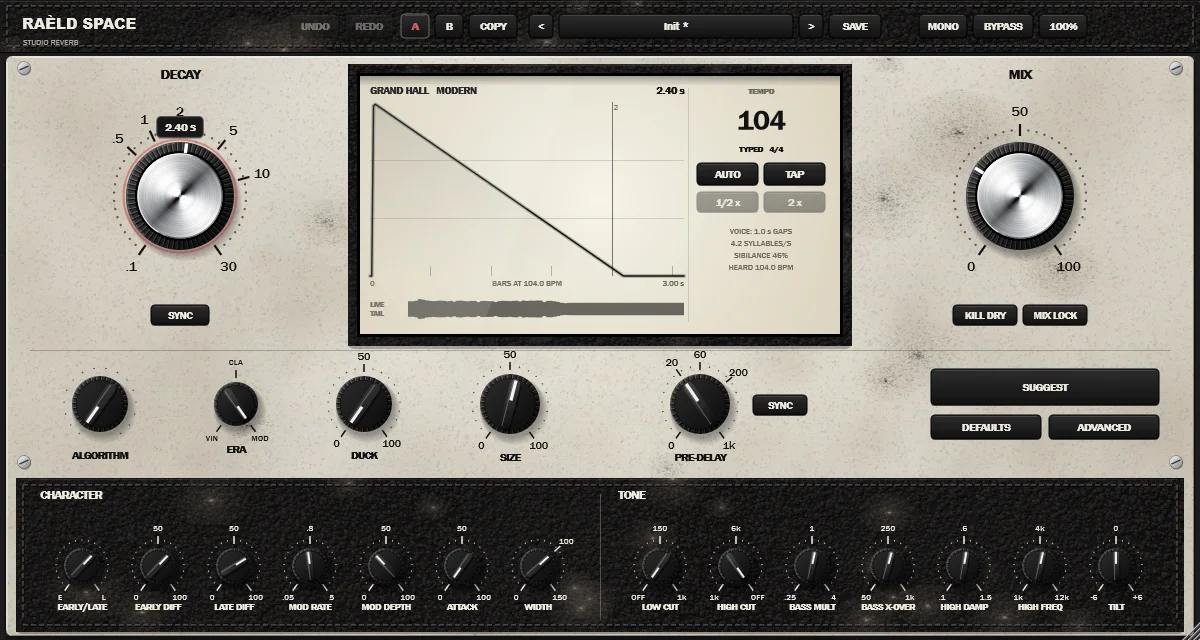
A reverb that fits the song
Turn ALGORITHM, set DECAY and MIX, and you have a finished sound. Everything else is there when you want it.
Sixteen algorithms
Each with its own design: eleven halls, rooms and spaces on feedback networks, two figure-8 plates, a spring made of dispersive loops, and drawn shapes for gated and reverse. See them all.
Three eras NEW
VINTAGE (early digital: grainy and darker), CLASSIC (late-80s and 90s: smooth) and MODERN (the cleanest, full bandwidth). Every algorithm in every era. Hear the difference.
Smart Tempo NEW
SYNC on PRE-DELAY and DECAY sets them as notes, from 1/64 to 4 bars. The tempo comes from your DAW, from the music itself, or from a tap. How it works.
SUGGEST NEW
Cards with settings fitted to your song's tempo and, if you like, the vocal it hears: the gaps between phrases, how fast the syllables come, how sibilant it is. Click one to hear it. More.
DUCK, rebuilt
The reverb sits down by up to 24 dB while you sing and blooms back in the gaps, without pumping between the words. Measured.
The decay you set
Every part of every loop carries its own decay, so the reverb time follows DECAY band by band: within 5% in every octave band from 125 Hz to 8 kHz, in every decaying algorithm and every era.
Shape the tail
How long the lows and highs ring as multiples of DECAY, LOW and HIGH CUT, TILT, early/late balance, diffusion, modulation, ATTACK and WIDTH to 150%. They act on the reverb only, never the dry sound.
Tails that never cut
Change algorithm or era while the music plays and the old space rings out while the new one takes over. FREEZE holds the tail forever.
Presets, undo and A/B
38 factory presets in nine groups, up to 200 steps of undo, two complete settings to compare. MIX LOCK keeps your mix when you browse; KILL DRY sets it up for a send.
Every kind of space you reach for
Each algorithm has its own structure, its own numbers and its own decay range, and DEFAULTS loads its suggested settings. Turning ALGORITHM keeps your other settings, so you can try a vocal in every space without starting over. Pick one to see it; every shot is MODERN with the algorithm's own settings.
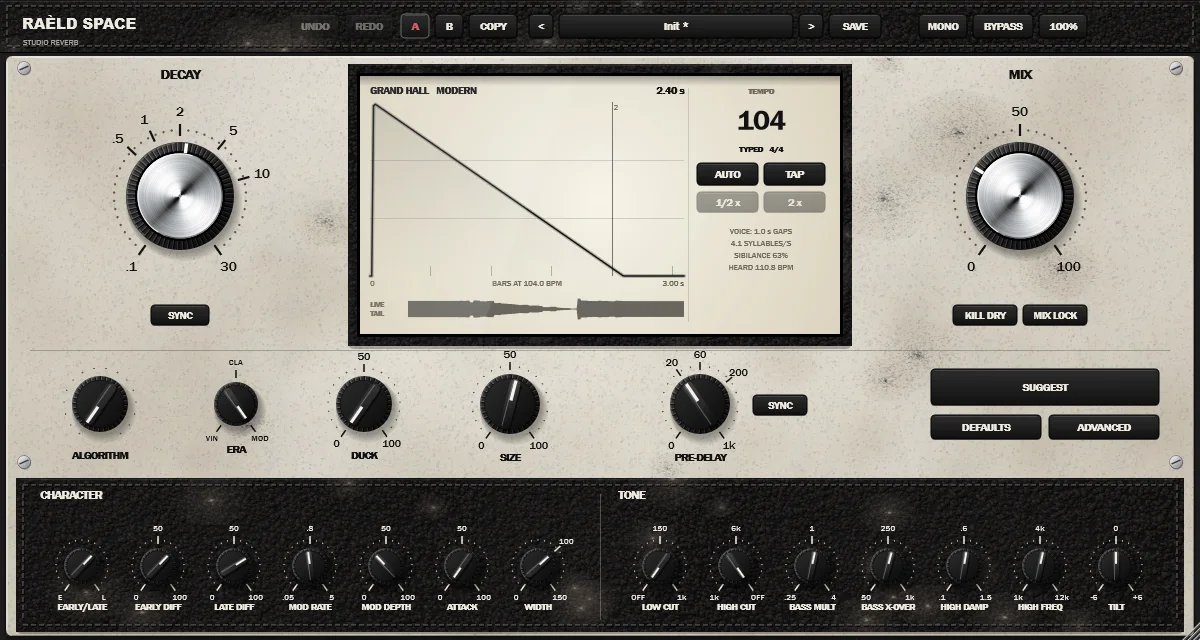
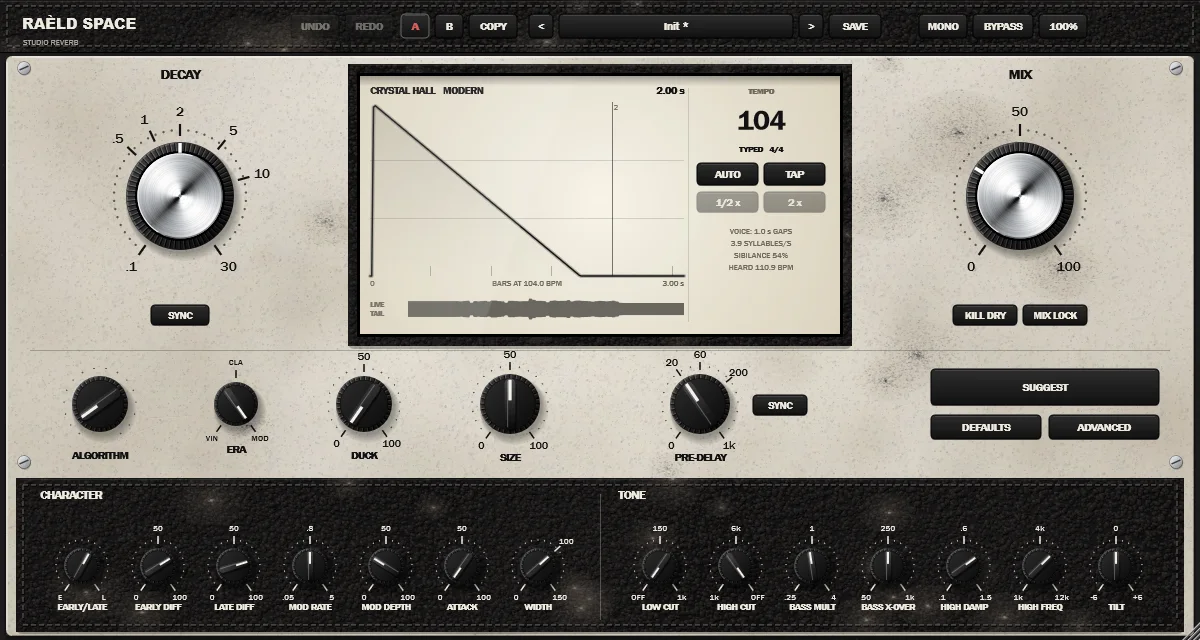
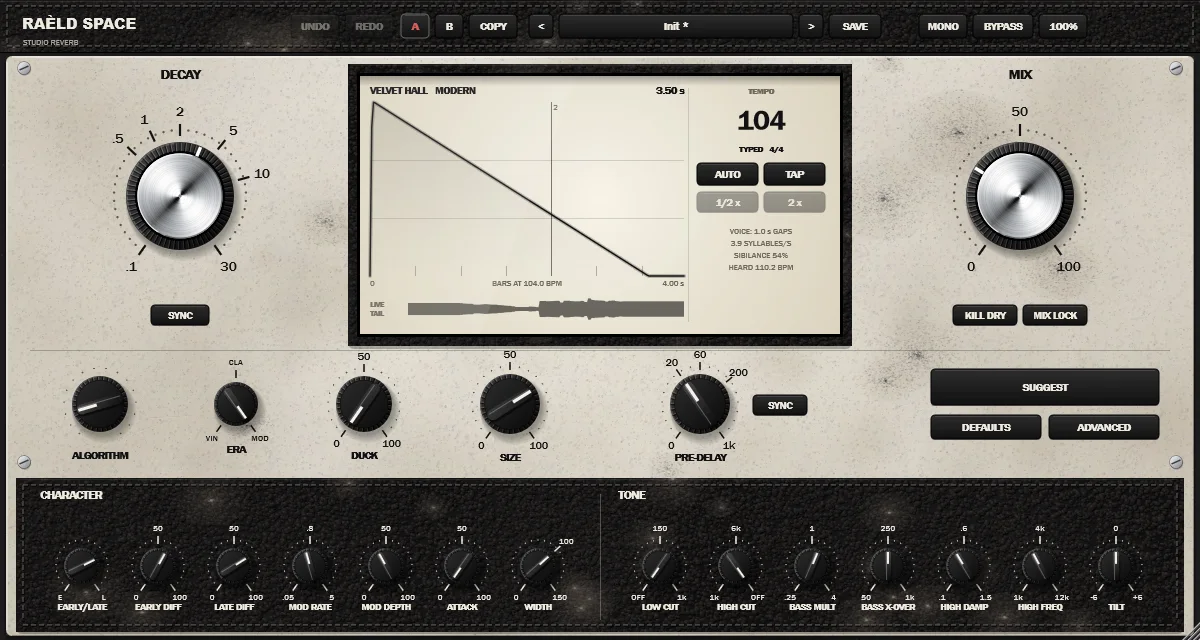
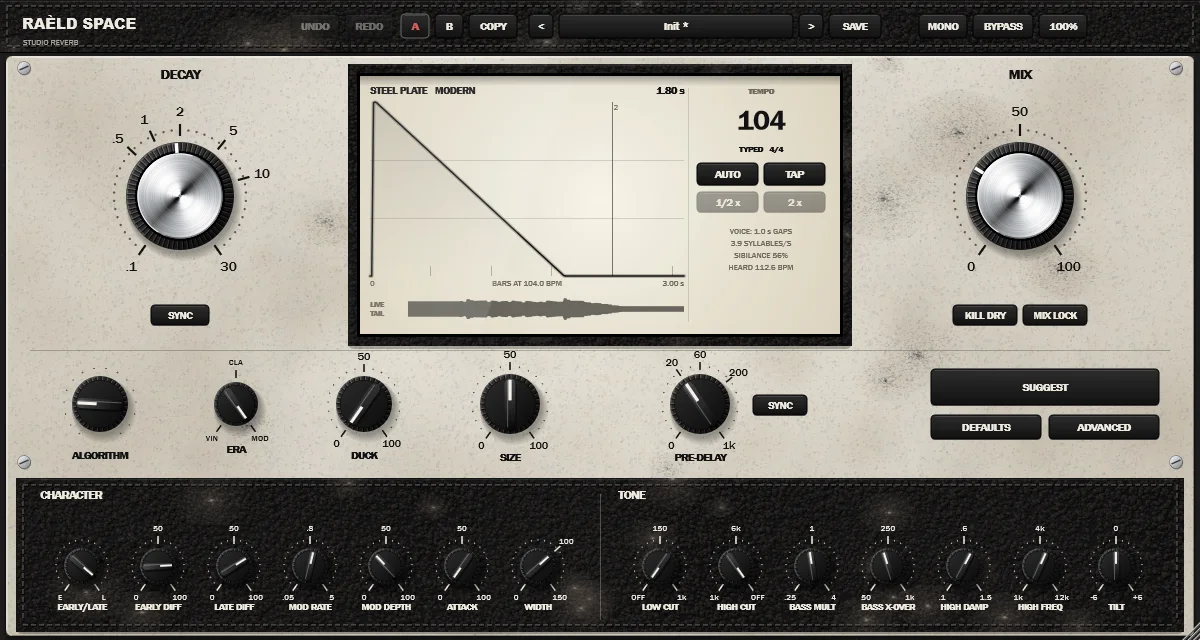
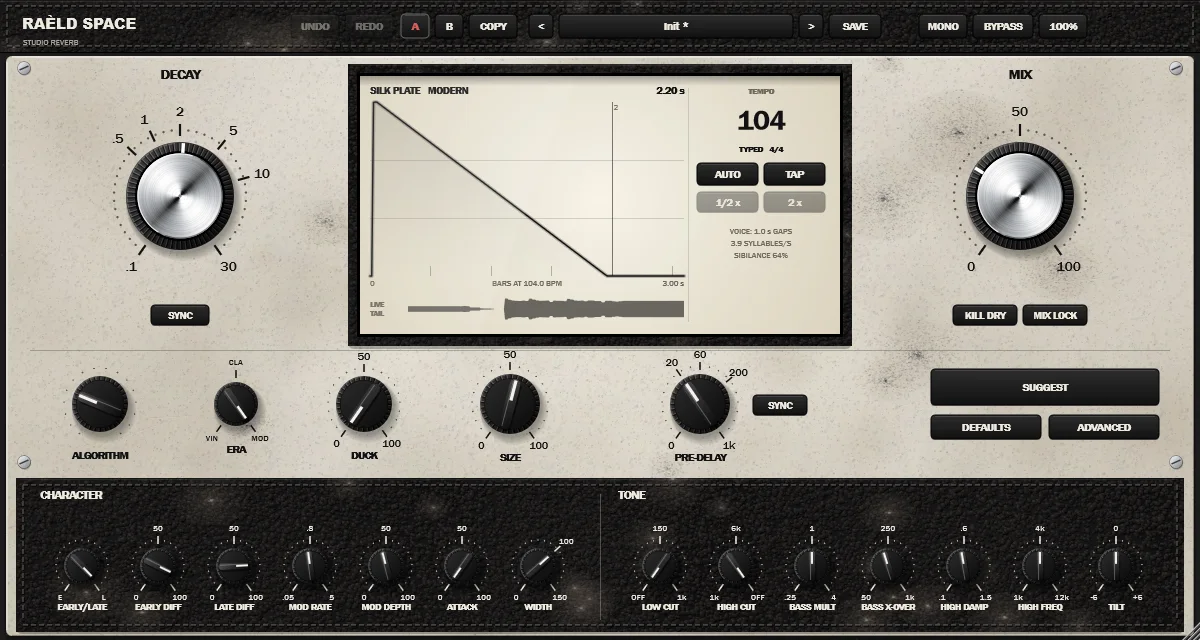
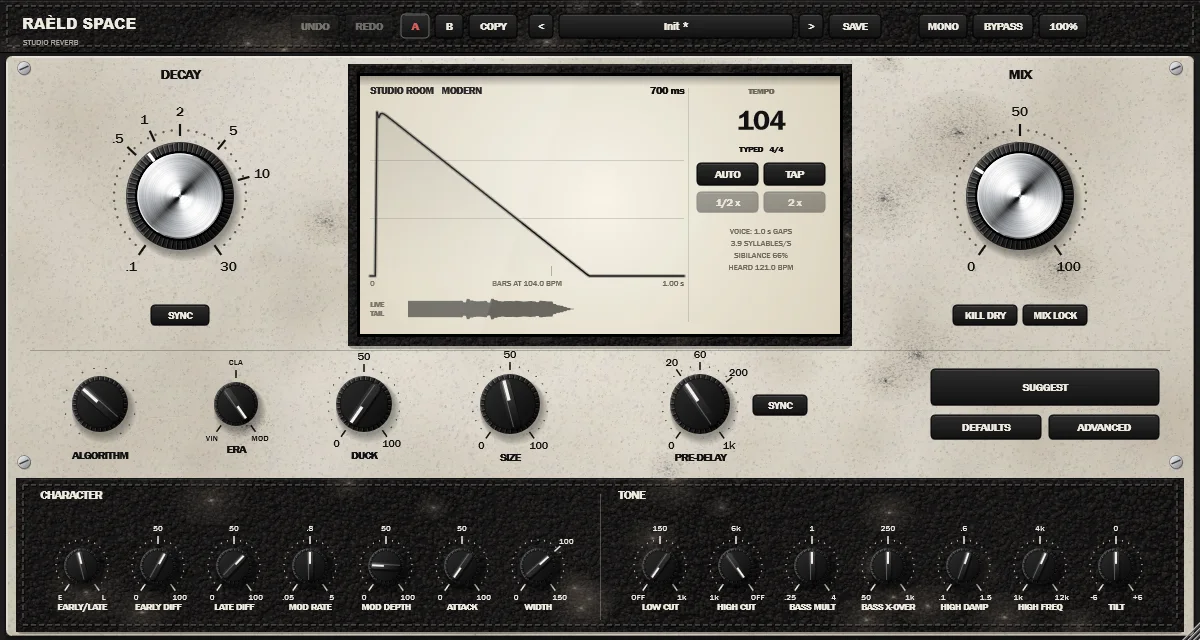
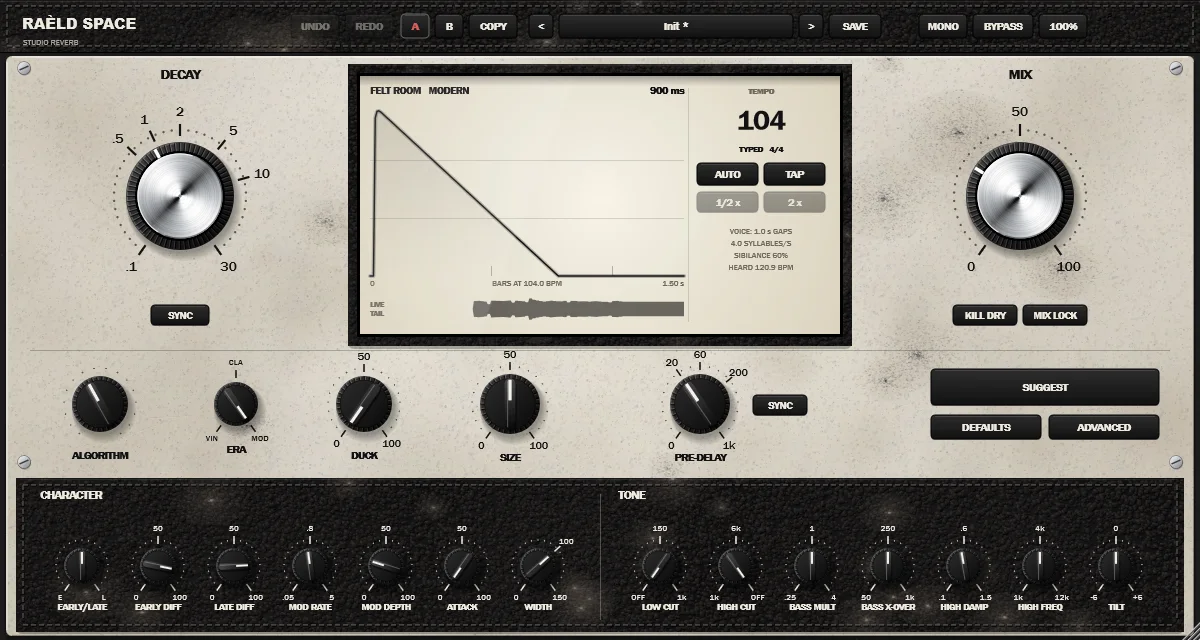
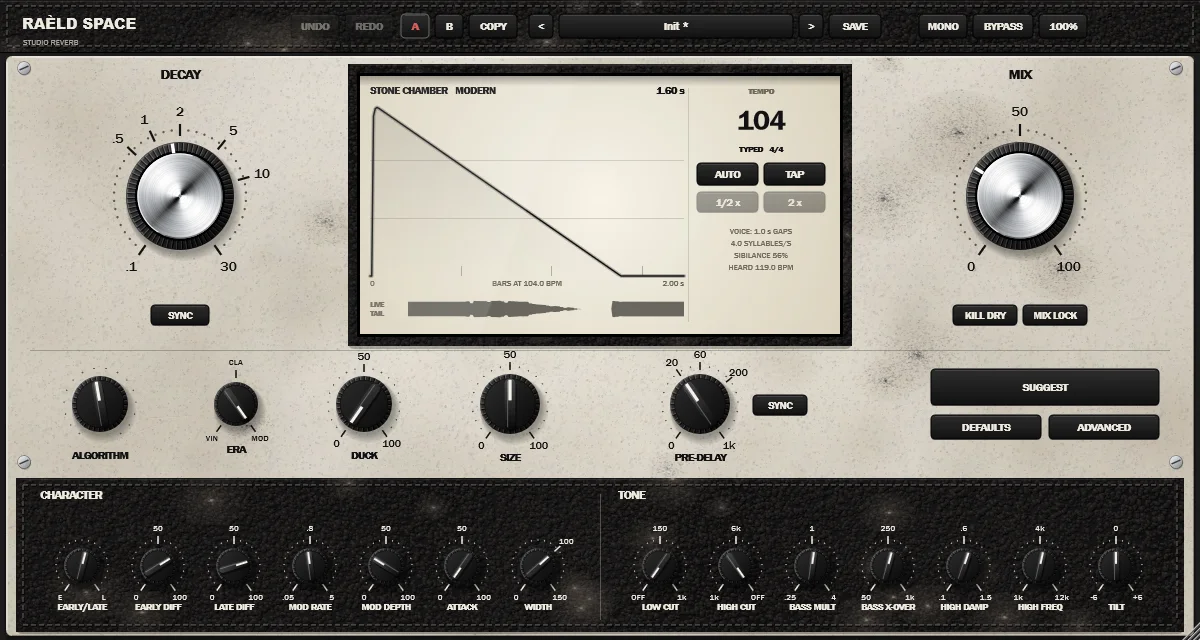
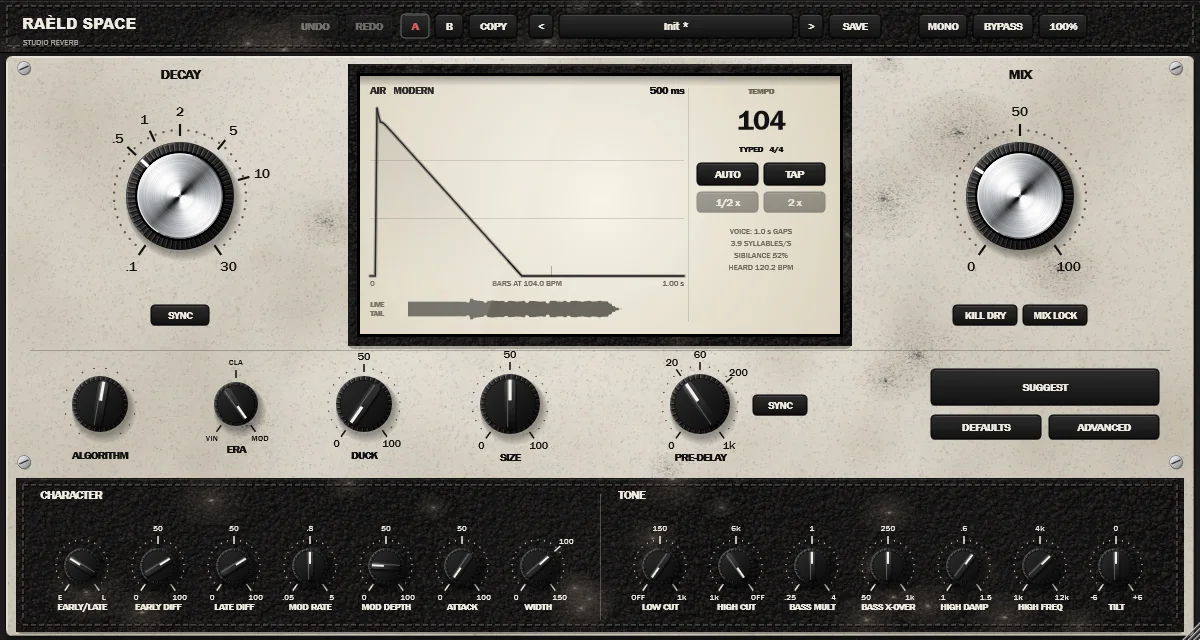
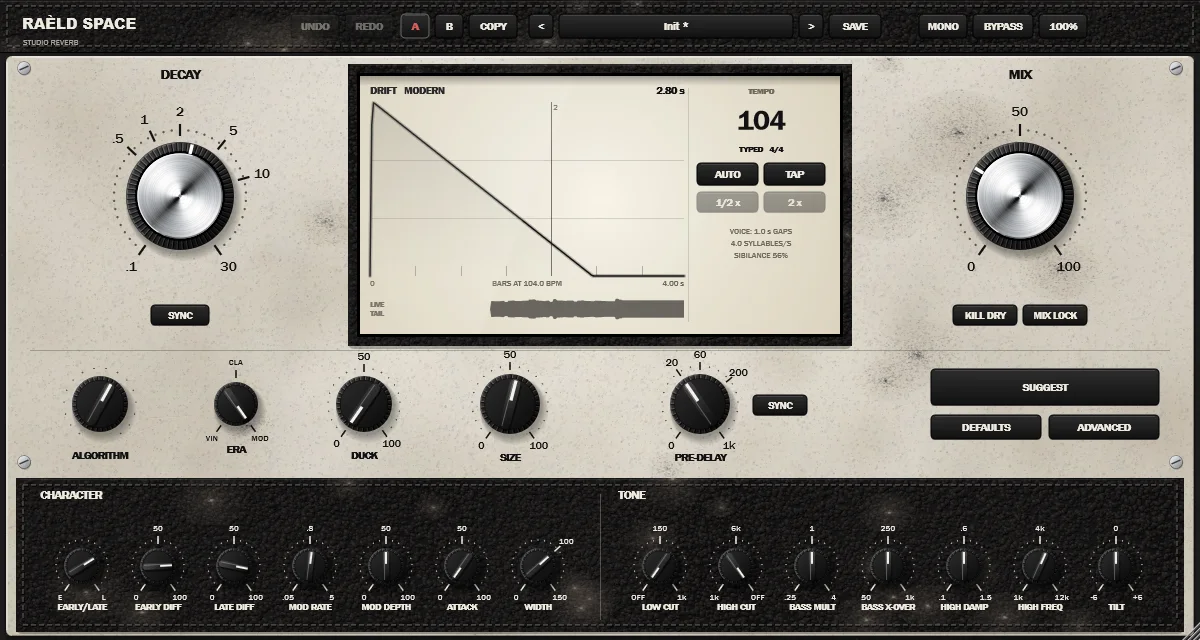
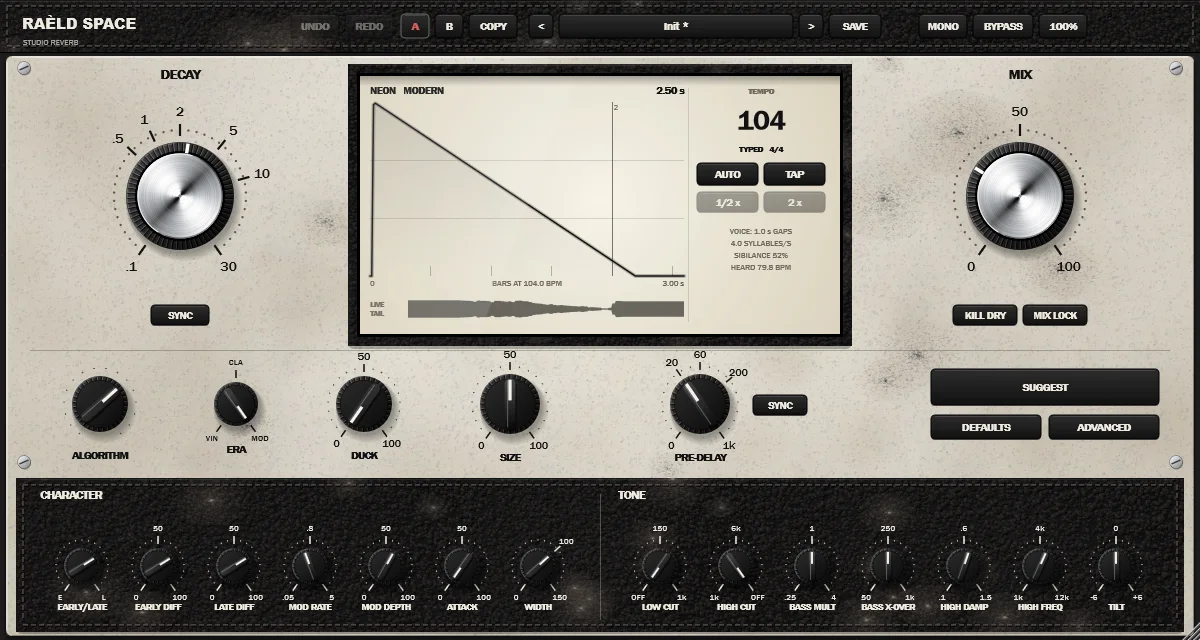
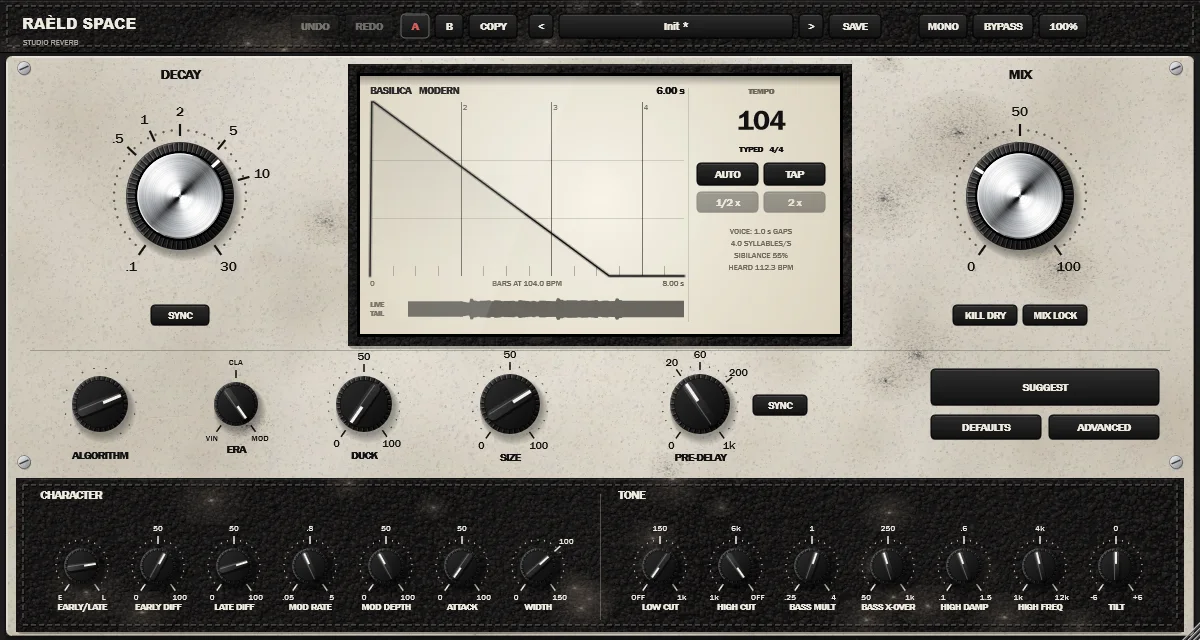
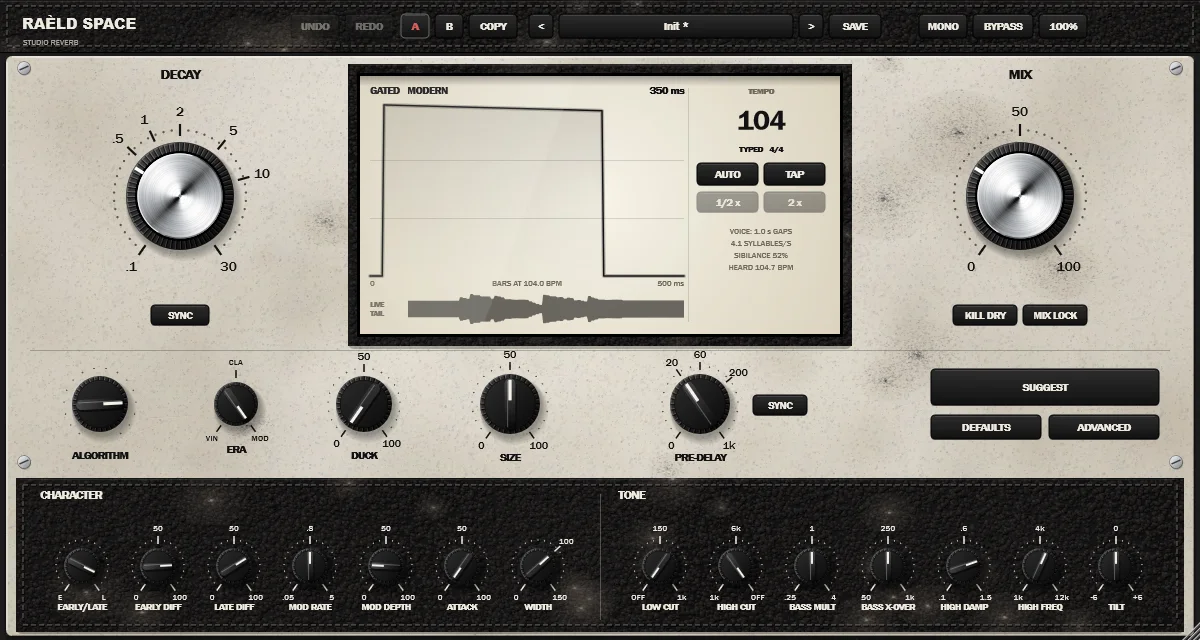
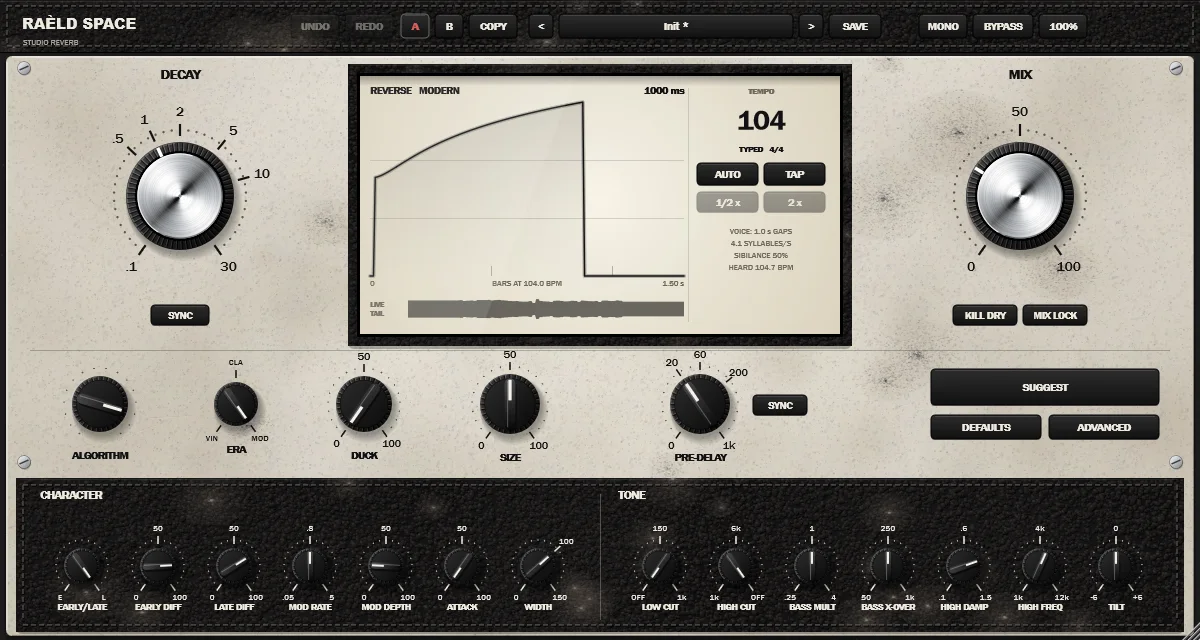
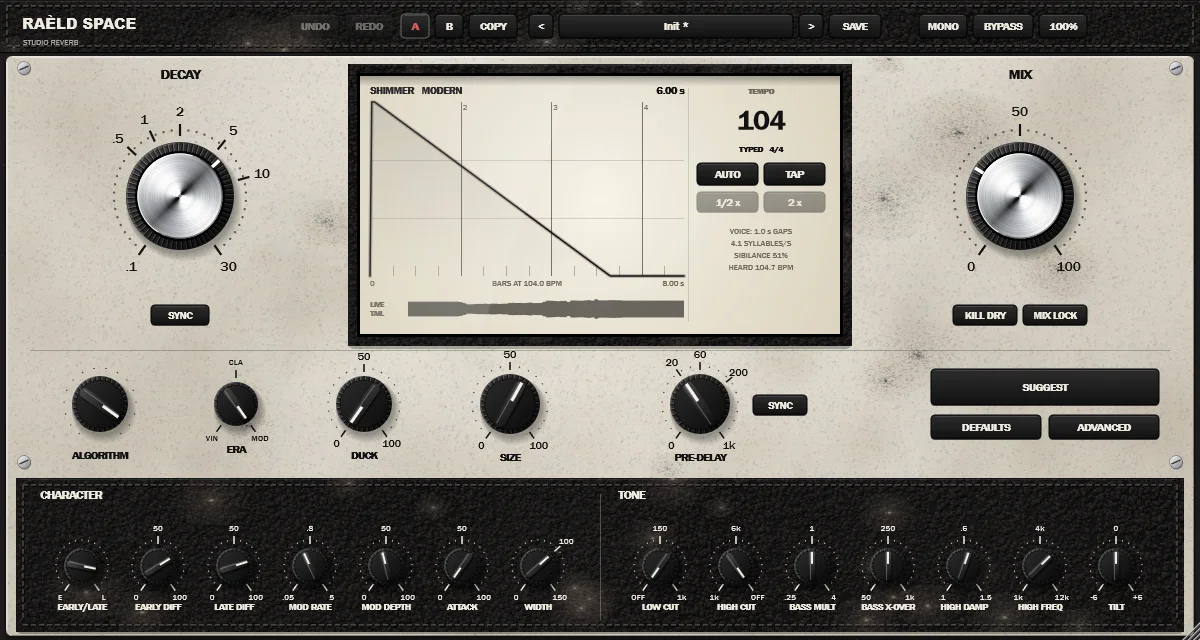
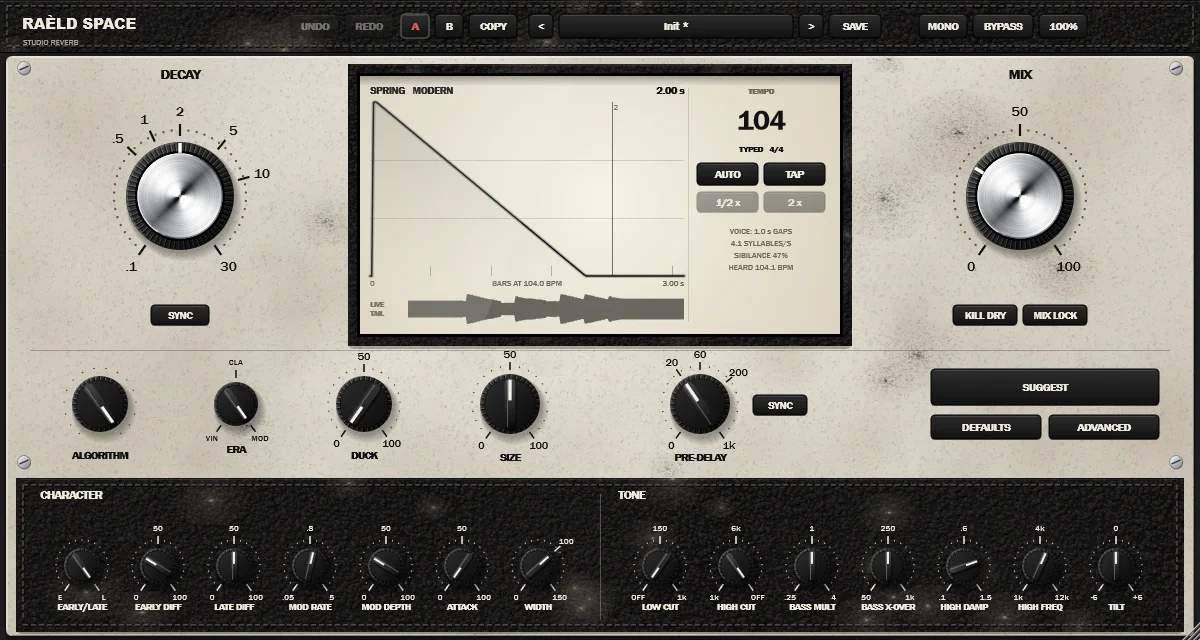
GRAND HALL · a concert hall: wide, balanced, an even tail · DECAY 1.2–8 s
The decay ranges are where each algorithm is meant to be used and where we measured it; DECAY itself goes from 0.1 to 30 s on all of them. Every algorithm is calibrated to the same steady wet level, so switching doesn't jump in loudness.
Vintage, Classic or Modern
ERA chooses the generation of hardware the algorithm runs on. It changes the internal sample rate (so the bandwidth), the way the modulation is read, the number of early reflections and the converter, and it works on all sixteen algorithms. Pick one to see it; each shot is Grand Hall.
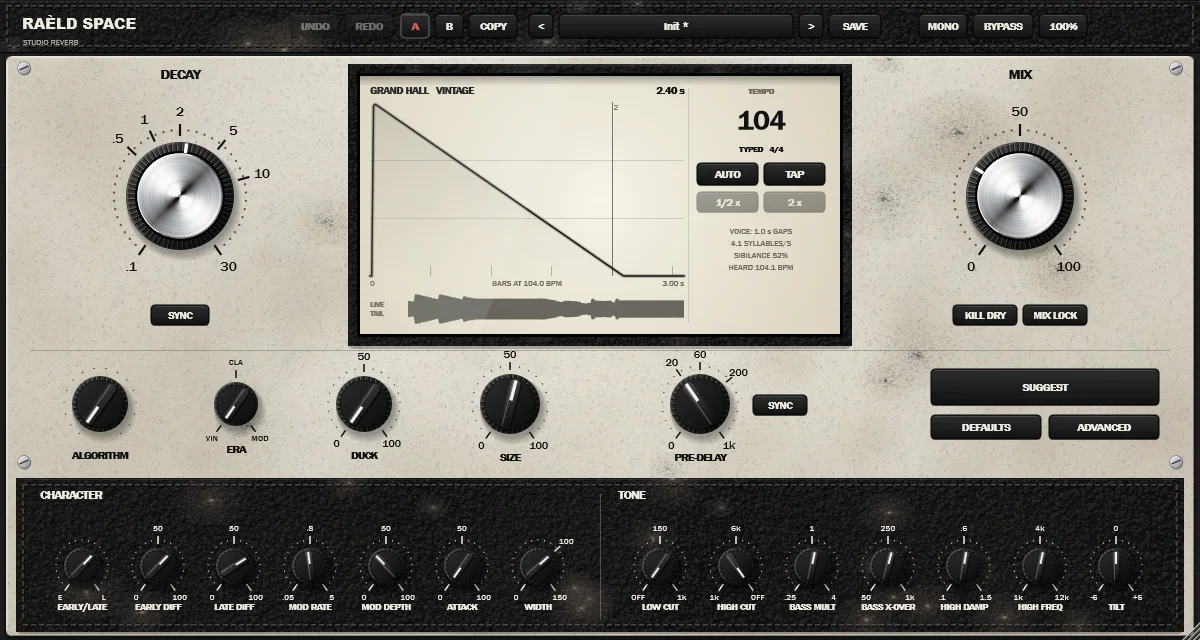
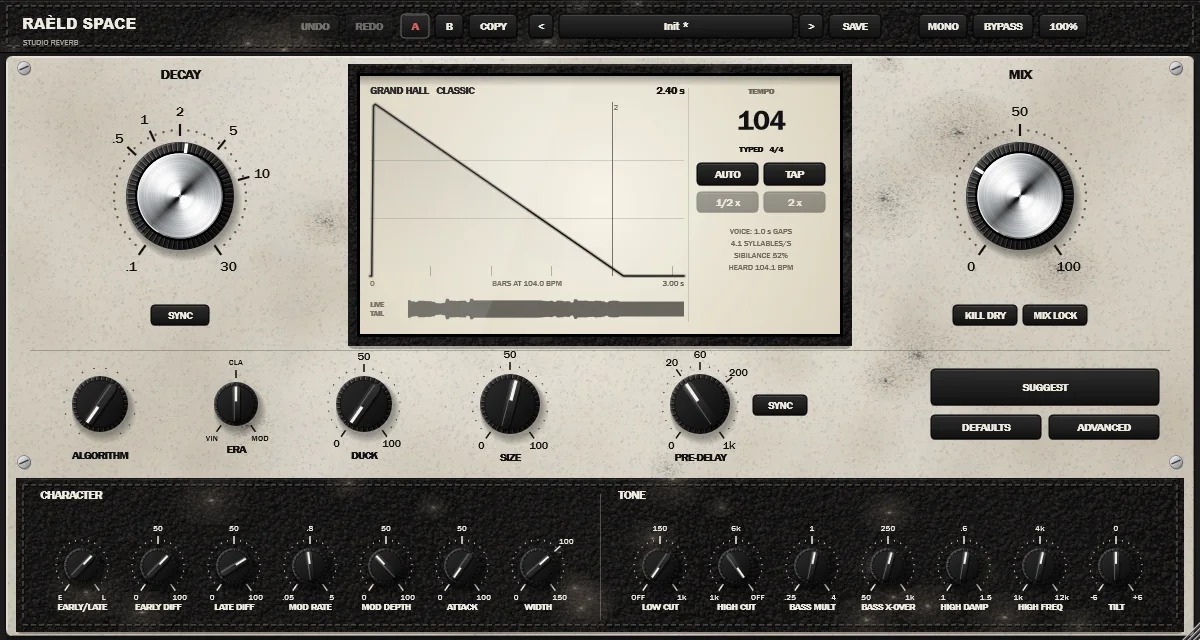
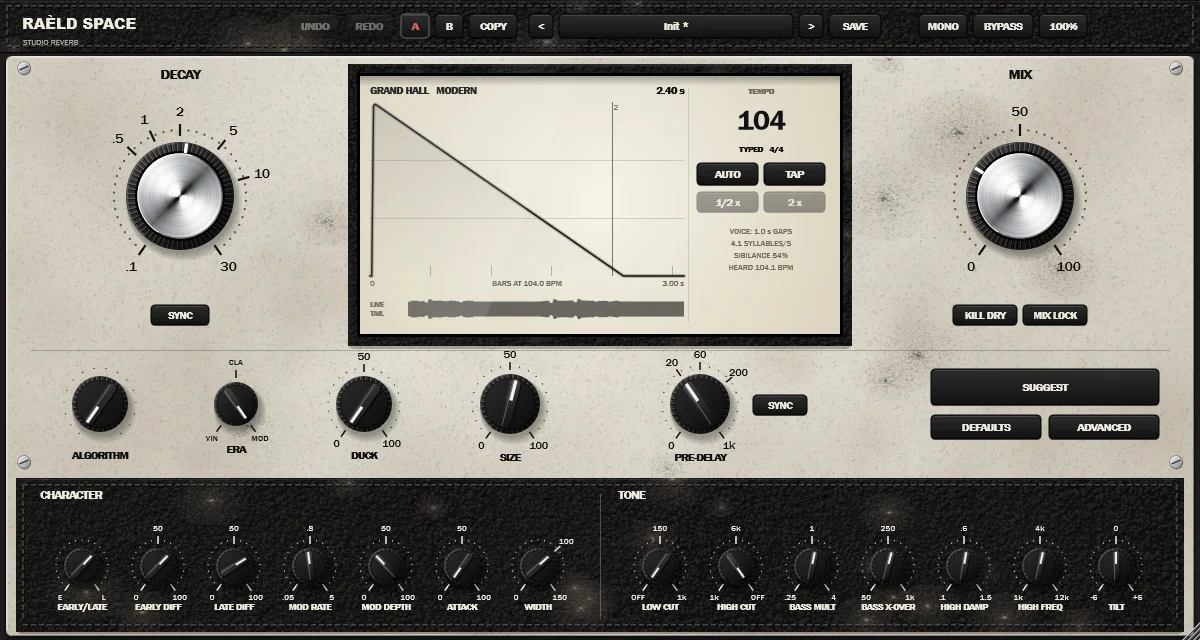
MODERN · the cleanest: flat to 20 kHz
| Grand Hall, measured | Vintage | Classic | Modern |
|---|---|---|---|
| Internal rate | 20 kHz | 34 kHz | 48 kHz |
| Bandwidth | −2.7 dB at 8 kHz, −34 dB at 10 kHz | −1.8 dB at 14 kHz, −14 dB at 16 kHz | flat (±0.3 dB) to 20 kHz |
| Early reflections per side | 16 | 24 | 32 |
| CPU, all algorithms (% of one core, 48 kHz) | 0.64–1.16% | 0.88–1.76% | 0.96–2.10% |
Changing era while the music plays spills over like an algorithm change: the tail never cuts. Grand Hall and Steel Plate measure the same at 44.1, 96 and 192 kHz in every era (reverb time within 1.4%, band levels within 0.04 dB).
Pre-delay and decay on the beat
Press SYNC under DECAY or beside PRE-DELAY and the knob turns into note values: pre-delay from 1/64 to 1/8, the tail from 1/16 to 4 bars, straight, dotted or triplet. With SYNC on, DECAY is where the tail ends: pre-delay plus decay equal the note, and the display draws the tail over the bars with a line where it ends.
The tempo panel on the display says which tempo is in use:
- FROM THE DAW: AUTO on, in a DAW that sends its tempo.
- DETECTED: AUTO on and no DAW tempo (the standalone app, or a host that sends none). Raèld Space hears the tempo in the music and shows its confidence; ½× and 2× fix a reading that's half or double.
- TAPPED or TYPED: tap it with TAP, or type it in the field.
Measured on 18 drum loops and songs from 70 to 174 BPM, at 44.1 and 48 kHz: 28 of 36 read within 1 BPM, and all 36 read the tempo or exactly half or double it, which still lands every tail on the grid. A 104 BPM groove reads 104.03.
Try it: SYNC at your tempo
| Tail ends on | Pre-delay | Decay |
|---|---|---|
| 1/4, pre-delay 1/64 | 31 ms | 469 ms |
| 1/2, pre-delay 1/64 | 31 ms | 969 ms |
| 1 bar, pre-delay 1/32 | 62.5 ms | 1.94 s |
| 2 bars, pre-delay 1/32 | 62.5 ms | 3.94 s |
The rule SYNC uses: decay = the tail's note − the pre-delay. At 120 BPM a bar lasts 2 s, so a tail ending on the bar after a 1/32 pre-delay (62.5 ms) decays for 1.94 s. Change the tempo and both times follow.
Settings that fit your song and your vocal
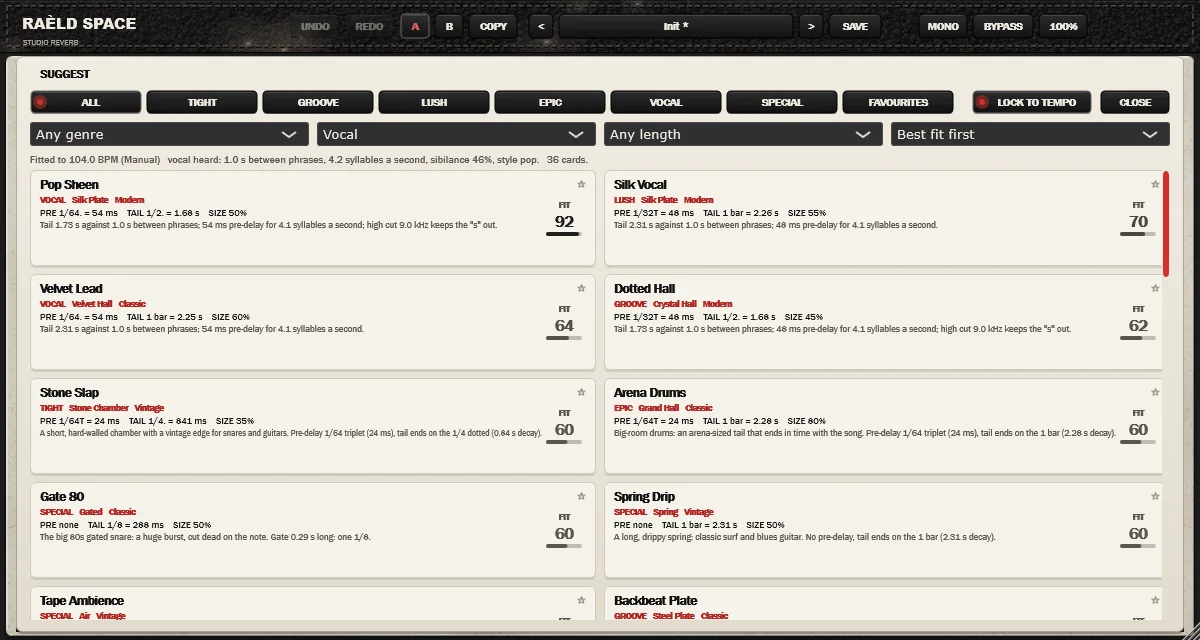
Press SUGGEST and 36 cards open over the controls, each with its algorithm, era, pre-delay and tail as notes and in ms, its size, a line on why it fits, and a FIT score. Choose Vocal as the source and the cards also fit what Raèld Space hears in the vocal:
- the gaps between phrases set how long the tail can ring;
- how fast the syllables come sets the pre-delay;
- a sibilant voice gets a lower high cut, so the "s" stays out of the reverb.
Click a card to hear it at once; it's one undo step. LOCK TO TEMPO (on by default) puts PRE-DELAY and DECAY on SYNC, so the card follows tempo changes. Filter by TIGHT, GROOVE, LUSH, EPIC, VOCAL or SPECIAL, by genre, source and length, and star your favourites. The list follows the song, but nothing changes the sound until you click.
Tested on synthetic singers with known phrasing: a slow ballad at 70 BPM gets Ballad Hall first (fit 96: 107 ms pre-delay, the tail ending on the bar); fast rap at 140 BPM gets a short ducked plate; a sibilant pop vocal gets its high cut moved to 5.2 kHz. Real vocals (breaths, reverb, double-tracks) still need to be confirmed with recordings.
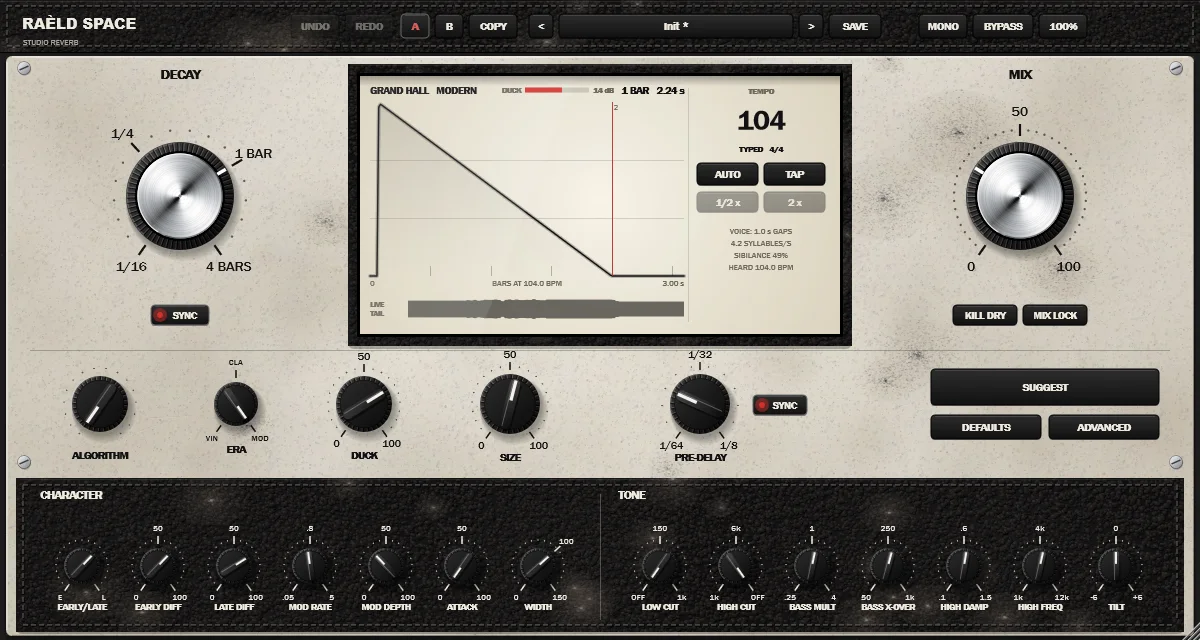
Clear while you sing, lush in the gaps
A long reverb under a vocal washes the words out. DUCK, right on the panel, decides moment to moment whether you're singing or playing. While you are, the reverb sits down by up to 24 dB; the moment you stop, it blooms back and the tail rings out in the gap. The display shows a DUCK meter while it works.
- It decides playing or not playing, so a soft syllable keeps the reverb down as much as a loud one.
- It holds through the short gaps between words, so it doesn't pump.
- It learns the noise floor in the pauses, so hiss never holds the reverb down. Bass below 120 Hz doesn't count.
- No latency. DUCK ATTACK and RELEASE are in ADVANCED.
| Sung phrase, DUCK 100% | Space 1.0 | Space 2.0 |
|---|---|---|
| While singing | −23.9 dB | −24.0 dB |
| Rise inside the phrase | 10.0 dB | 0.002 dB |
| Back within 1 dB after it | 0.81 s | 0.39–0.40 s |
The same with the phrase 30 dB quieter, and with hiss at −60 dBFS.
Ivory: studio hardware in off-white and black
Raèld Space has a face of its own: a rough painted ivory plate, stitched black leather for the header, the display surround and the lower strip, spun-aluminium DECAY and MIX on knurled skirts, black fluted knobs with a white pointer, and a cream display. Stepped knobs click into their detents. Size the window from 75 to 175%; it's remembered. Pick a view below.
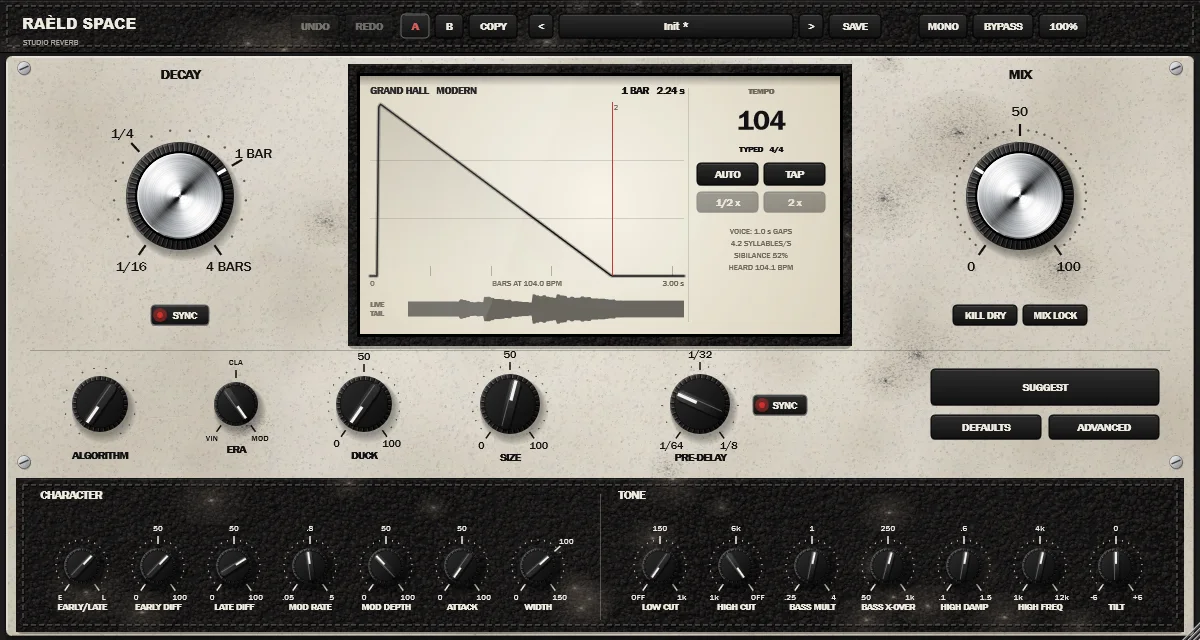
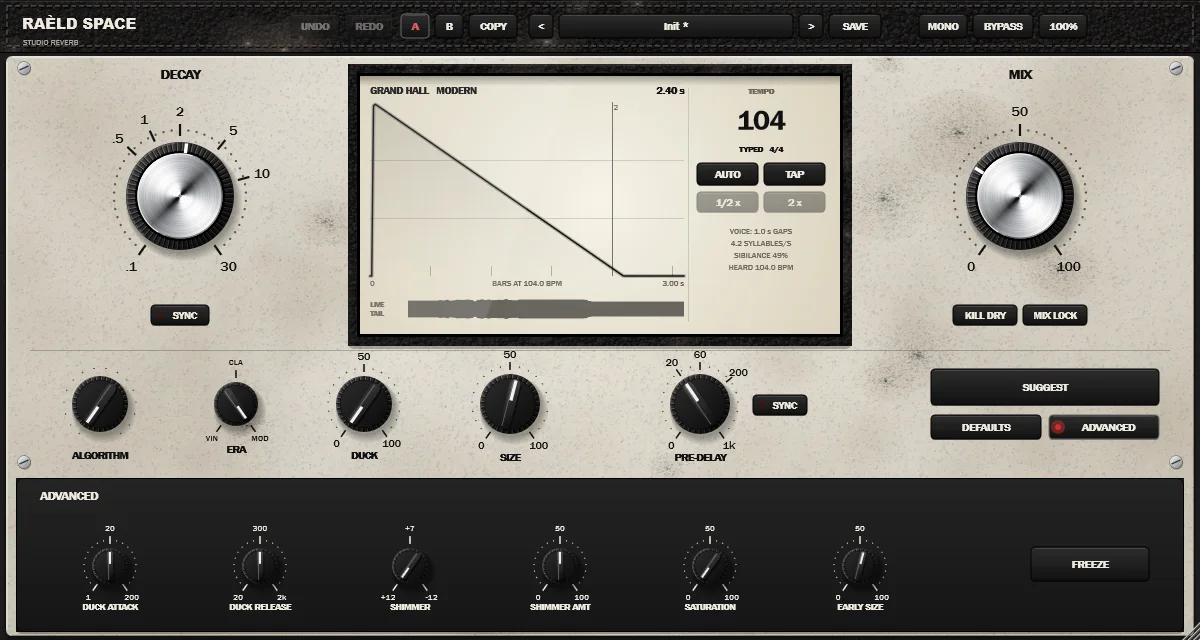
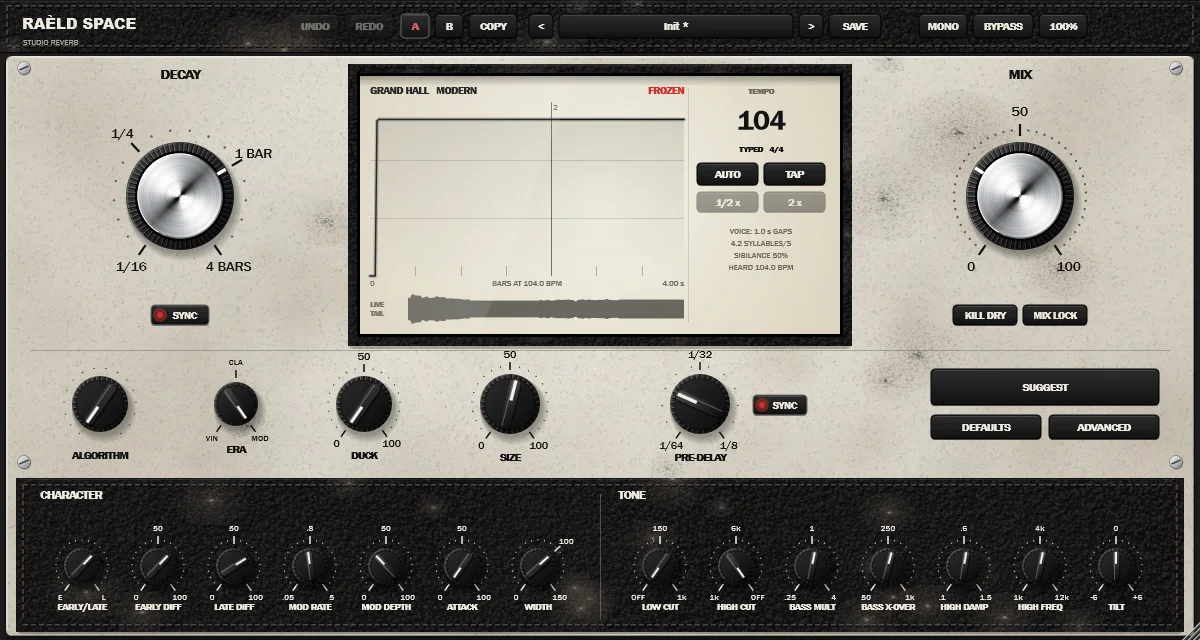
HOVER · every knob shows its value while you adjust or hover
Simple on top, deep underneath
| Control | What it does |
|---|---|
| DECAY | The reverb time (RT60), 0.1 to 30 s. With SYNC: the note the tail ends on, 1/16 to 4 bars, straight, dotted or triplet. On Gated it's the gate length, on Reverse the swell length. |
| MIX, KILL DRY, MIX LOCK | Dry/wet, equal power. KILL DRY removes the dry sound for a send. MIX LOCK keeps your MIX when you load presets. |
| PRE-DELAY | A gap before the reverb starts, 0 to 1000 ms. With SYNC: a note from 1/64 to 1/8. |
| ALGORITHM, ERA | The kind of space, and the generation of hardware: VINTAGE, CLASSIC or MODERN. |
| DUCK, SIZE | How far the reverb steps back while you play (up to 24 dB); how big the space is. |
| SUGGEST, DEFAULTS, ADVANCED | The suggestion cards; the algorithm's own suggested settings (one undo step); the drawer with the extra controls. |
| CHARACTER | EARLY/LATE balance, EARLY DIFF and LATE DIFF, MOD RATE and MOD DEPTH, ATTACK (how slowly the reverb builds) and WIDTH (0 mono, 100% natural, 150% extra wide). |
| TONE | LOW CUT and HIGH CUT; BASS MULT below BASS X-OVER and HIGH DAMP above HIGH FREQ (how long the lows and highs ring, as multiples of DECAY); TILT, ±6 dB around 1 kHz. All on the reverb only. |
| ADVANCED | DUCK ATTACK and RELEASE; SHIMMER interval (an octave up, a fifth up, an octave down) and amount; SATURATION on the tail; EARLY SIZE; FREEZE. |
| Tempo panel | The tempo in use and where it comes from; AUTO, TAP, ½× and 2×. Tempo settings belong to the song, so presets never change them. |
| UNDO, REDO, A, B, COPY | Step through your changes (Ctrl+Z, Ctrl+Shift+Z or Ctrl+Y); two complete settings to compare. |
| BYPASS, MONO | BYPASS crossfades to the dry sound. MONO folds the output to mono, to check the mix on a mono speaker; not saved in presets. |
Knobs: drag up or down (or in a circle: the size menu has the option), Shift for fine control, the wheel or the arrow keys; double-click resets; the value shows while you adjust and when you hover.
What we measured
| Test | Result |
|---|---|
| Reverb time against DECAY: all 13 decaying algorithms in every era, at the short, middle and long end of each range, in every octave band from 125 Hz to 8 kHz (Vintage to 4 kHz and Spring 250 Hz–2 kHz, their own bandwidth) | worst band −4.3% / +3.6% (target ±5%) |
| Grand Hall and Steel Plate at 44.1, 96 and 192 kHz, every era | reverb time within 1.4%, band levels within 0.04 dB |
| Steady wet level, all 16 algorithms, DECAY 2 s, pink noise | 0.0 ±0.1 dB |
| Echo density (time to a dense tail) | plates 35 ms, rooms 30–60 ms, halls 90–290 ms, Basilica 405 ms |
| FREEZE, 10 minutes | Grand Hall −20.51 → −20.60 dBFS; Steel Plate (Vintage) −20.25 → −20.55 dBFS |
| DUCK 100% on a sung phrase | −24.0 dB while singing, 0.002 dB of rise inside the phrase, back within 1 dB 0.39–0.40 s after it; the same 30 dB quieter and with −60 dBFS hiss |
| Tempo detection, 18 loops and songs, 70–174 BPM, 36 cases | 28 within 1 BPM; 36 the tempo or exactly half or double; a 104 BPM groove reads 104.03 |
| SUGGEST, 7 tempos from 60 to 174 BPM in 4/4, 3/4 and 6/8 | every pre-delay exactly its note, pre-delay + decay exactly the tail's note |
| Latency, and MIX at 0 | no latency; MIX 0 is the input, bit for bit |
| The tail reported to your DAW (DECAY 4 s) | a bounce reaches −154.6 dBFS by the end of the reported tail; endless while frozen |
| Automating DECAY, SIZE, PRE-DELAY and MIX every block, ALGORITHM and ERA every 2 s | largest click −66.5 dBFS (−74.8 dBFS with nothing moving) |
| Save and reload a session | the same sound, bit for bit |
| CPU (% of one core, 48 kHz) | reverb 0.64–2.10% by algorithm and era; tempo and vocal analysis 0.33%, on their own thread |
Measured by our test suite on test signals, drum loops and synthetic singers. Your ears are the judge.
38 presets in nine groups
Each starts from its algorithm's own settings and changes what makes it that preset. Mix is set for an insert; on a send, turn KILL DRY on. Save your own with SAVE.
| Group | Presets |
|---|---|
| Vocals | Silk Lead, Pop Plate, Intimate Room, R&B Velvet, Ballad Hall, Rap Tight, Gospel Church, Rock Vintage Plate, Ambient Veil |
| Drums | Live Room, Snare Plate, Gated 80s, Stone Chamber, Arena, Lo-Fi Ambience |
| Guitars | Surf Spring, Acoustic Room, Clean Hall, Chorus 80s |
| Keys | Piano Hall, Rhodes Chamber, Organ Church |
| Pads | Endless Halo, Drift Wash, Slow Bloom, Frozen |
| Mix Bus | Glue Ambience, Short Plate |
| Cinematic | Cathedral, Dark Hall, Octave Under |
| Vintage | Early Digital Hall, Classic Plate, Chorus Room |
| Special FX | Reverse Swell, Fifth Halo, Infinite Space, Saturated Tail |
Plus Init: a natural concert hall, 2.4 seconds, mixed in at 30%.
2.0 is a free update
Version 2.0 is the same product with the same license key: install it over 1.0 and it replaces it. Sessions saved with 1.0 open in 2.0, each of the twelve 1.0 types translated to the nearest algorithm and era. Your mix, pre-delay, decay, size, cuts, width, duck and tempo settings carry over; the new character and tone controls start from the algorithm's own settings.
| 1.0 type | Opens in 2.0 as | 1.0 type | Opens in 2.0 as |
|---|---|---|---|
| Plate | Steel Plate, Classic | Choir | Basilica, Classic |
| Hall | Grand Hall, Modern | Ambience | Air, Modern |
| Vintage Hall | Grand Hall, Vintage | Spring | Spring, Vintage |
| Chamber | Stone Chamber, Classic | Shimmer | Shimmer |
| Room | Studio Room, Modern | Gated | Gated, Classic |
| Bloom | Drift, with a slow ATTACK | Reverse | Reverse |
Presets you saved yourself in 1.0 aren't translated: they load the shared settings only, on the default algorithm. Your sessions are.
Own it, or get it with everything else
Raèld Space
One-time payment. No subscription.
- All sixteen algorithms in three eras, plugin and standalone
- One license for up to 3 of your computers
- Never expires, works offline 30 days at a time
- Download link and license key by email, instantly
Every Raèld plugin
or $99/year
- Raèld Space plus every other Raèld plugin
- Every new plugin the day it's released
- One key for all of them, on 3 computers
- Cancel anytime
Secure checkout by Lemon Squeezy. Sales tax and VAT calculated at checkout.
Windows 10/11 (64-bit), VST3 and standalone. Download Raeld-Space-2.0.0-Windows.zip; DAWs list it as "Raeld Space", so type "raeld" to find it. Already own 1.0? 2.0 is free with your key.
Good to know
Where do I start?
Turn ALGORITHM to choose the space and press DEFAULTS for its own settings, then set DECAY and MIX. On a vocal, turn up DUCK. Not sure? Press SUGGEST and click a card; Ctrl+Z takes it back.
Insert or aux send?
Both work. The presets set MIX for an insert. On a send, turn KILL DRY on so only the reverb comes back. MIX LOCK keeps your MIX while you try presets.
Which era should I use?
MODERN for a clean, full-bandwidth space. CLASSIC for a smoother, softer top. VINTAGE for the grainy, darker glow of early digital reverbs; several factory presets use it on Neon, Spring and the plates. Switch while the music plays: the tail never cuts.
Where does the tempo come from?
With AUTO on, from your DAW. If the DAW sends none (or in the standalone app), Raèld Space detects it from the music and shows how confident it is; ½× and 2× fix a reading that's half or double. With AUTO off, type the tempo or tap it with TAP. The tempo belongs to the song, so presets never change it.
Does SUGGEST change my sound on its own?
No. The cards follow your song and vocal, but nothing changes until you click one, and a card never touches MIX, KILL DRY or FREEZE. Each click is one undo step.
I own Raèld Space 1.0. Do I pay for 2.0?
No. 2.0 is a free update with the same license key. Install it over 1.0; your 1.0 sessions open with each type translated to the nearest algorithm and era. Presets you saved yourself in 1.0 aren't translated.
Does it add latency or use much CPU?
No latency at all, and MIX at 0 is the input bit for bit. The reverb takes about 0.6 to 2.1% of one CPU core at 48 kHz, by algorithm and era; the tempo and vocal analysis add about 0.3%, on their own thread, never on the audio thread. The tail length is reported to your DAW, so bounces include the whole tail.
Does it work on mono tracks?
Yes. It runs on mono, mono-to-stereo and stereo tracks, and your DAW picks automatically. On a mono-to-stereo track the mono source feeds both sides, so Raèld Space can turn a mono vocal or guitar into a wide stereo reverb. The MONO button folds the output to mono, to check how the mix holds up on a mono speaker; it isn't saved in presets.
Can I try it first?
Yes. Without a key it runs as a full demo; the only limit is a short dropout every 45 seconds. Enter a Raèld Space key or your All Access key any time to unlock it.
Read the Raèld Space manual · Download · All support questions →
Raèld Space is an original design. Its algorithms are modelled on the classic kinds of studio reverb (halls, plates, rooms, chambers, springs) and the generations of digital hardware; it isn't a copy of any other company's product and is not affiliated with or endorsed by any other manufacturer.