
Raèld Sculpt. Six bands that move as one.
A multiband compressor made to be silky. Its bands move together, so the tone stays where it is while loud moments are held and quiet detail is lifted: no pumping, no wandering tone, no phase smear. Two big controls, SILK and SCULPT, and a CHARACTER for each band.
One-time payment · 3 computers · Instant download · 2.0 is a free update for 1.0 owners
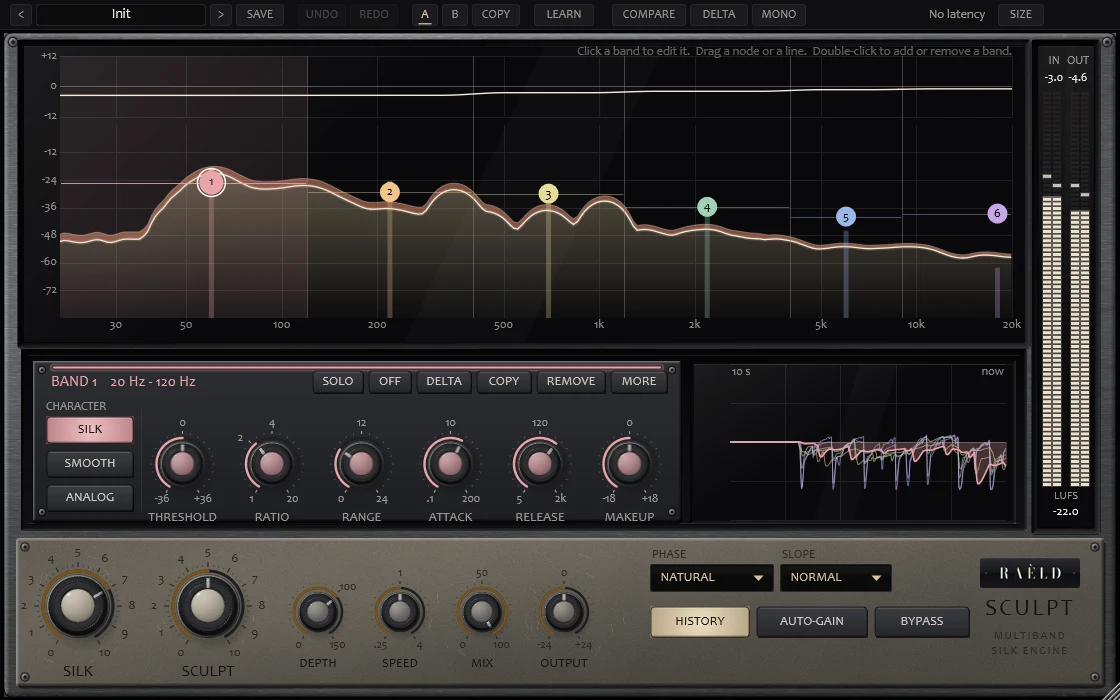
It listens to your song first
Sculpt learns where each band usually sits in your song, and every threshold is set relative to that, so SILK, SCULPT and every preset do the same thing at any level. Each band's gain has a fast part for the music's moments and a slow body for what lasts; the slow part is shared with its neighbours, so the tone stays still, while a hit stays the band's own, so a kick doesn't duck the low mids.
Play your song
For the first moment Sculpt listens, to learn where each band usually sits.
Turn SCULPT
Low to ride the peaks, high to hold every band firmly around its usual level.
Turn SILK
How smoothly it moves. No EQ and no distortion: SILK only changes the movement.
Shape the bands
Click a band on the chart, drag its node, and pick its CHARACTER.
Titanium and champagne, and the chart always in view
Built as a piece of studio hardware: a brushed titanium faceplate, a satin champagne control plate, the chart and the LED meters behind glass, console knobs whose caps say what they're for, keys that glow when they're on. The band you click opens in a slot under the chart, and MORE opens in the lower part of the unit, so nothing ever covers what you're shaping. It opens small and scales from 85 to 300 %.
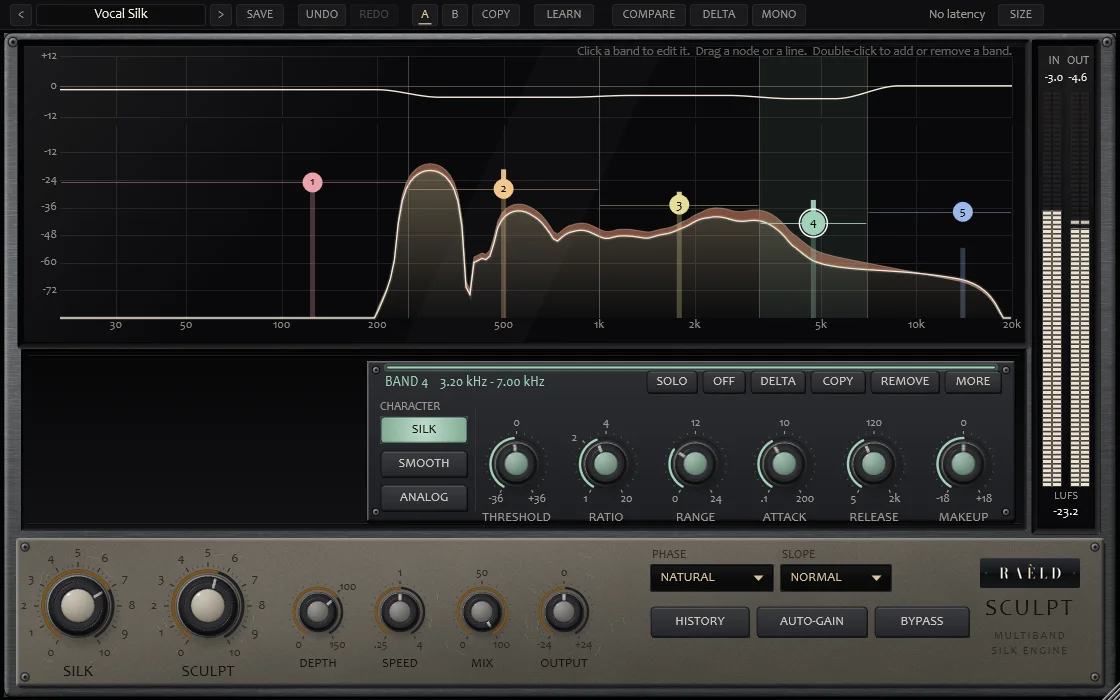
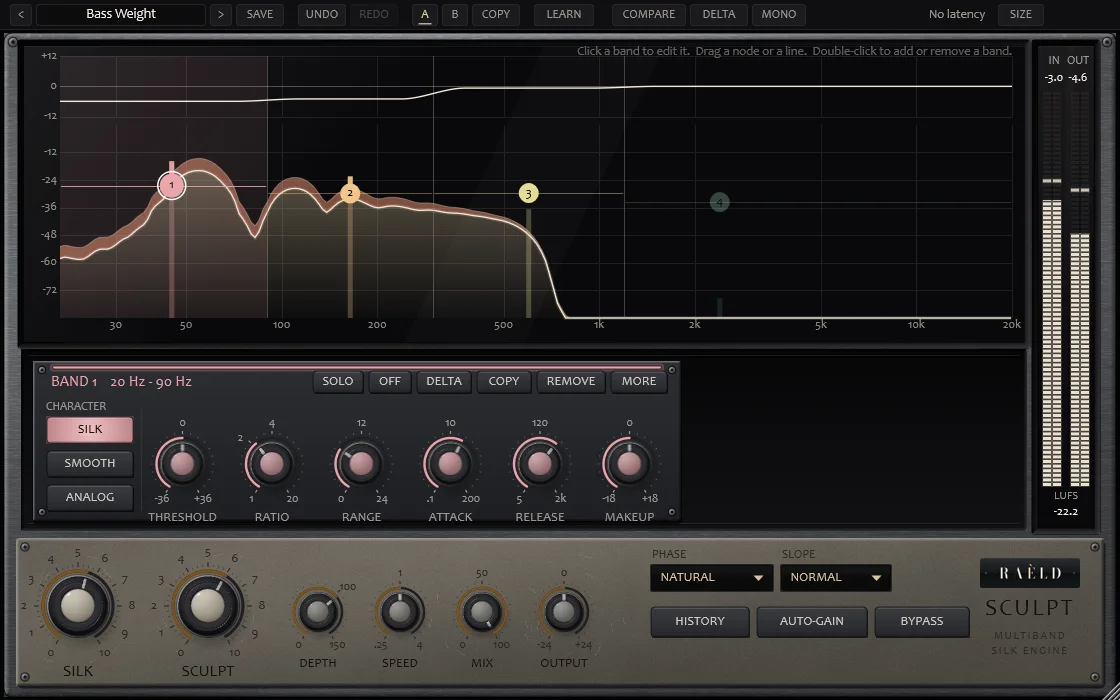
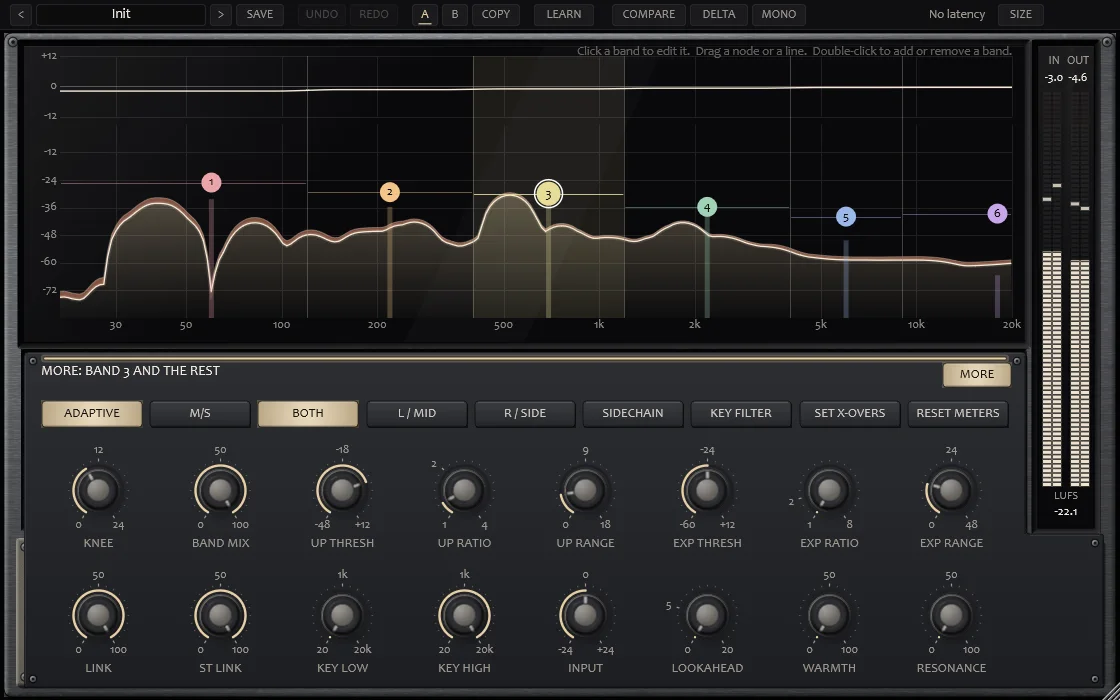
Powerful, and easy to understand
SILK and SCULPT
SILK sets how it moves: the link between bands, the two-stage release that follows the music, the soft landing, the attack and the knee, all at once. SCULPT sets how far it reshapes, from riding the peaks to holding every band around its usual level.
A CHARACTER per band
SILK, smooth and gentle; SMOOTH, the steadiest, for glue; ANALOG, firmer and quicker, with a little warmth only while it's compressing. ANALOG on the lows, SMOOTH on the mids, SILK on the top: each band its own.
Worked on the chart
Up to six bands. Drag a node for where a band sits and its threshold, drag a line for a crossover, the wheel for range and ratio, double-click to add or remove. Upward compression, expansion, M/S and a sidechain per band are one click away, in MORE.
NATURAL, MINIMUM, LINEAR
NATURAL has no latency and is bit for bit at rest; its delay moves only as far as neighbouring bands differ. MINIMUM is a classic crossover with no latency. LINEAR has no phase shift at all, with 48 ms of latency.
Thresholds relative to the song
It learns where each band usually sits, so a preset does the same at any level: within 0.06 dB at 12 dB down. LEARN teaches it again; SET X-OVERS gives each band an equal share of the loudness.
Judge the change, not the level
COMPARE plays your untouched sound at the output's loudness; DELTA plays only what's taken out; AUTO-GAIN keeps the output at the input's loudness. HISTORY shows each band's gain over the last ten seconds.
Silky, in numbers
On synthetic test material at 48 kHz. Nothing from another company has been measured. On your own material, use COMPARE, DELTA and your ears.
| Test | Result |
|---|---|
| Nothing acting, NATURAL | the input bit for bit, no latency |
| Every band at the same gain | exactly that gain (error −157 dBFS) |
| Latency | NATURAL and MINIMUM 0; LINEAR 48 ms; reported to your DAW and checked against the actual delay |
| Neighbouring bands, a mix at 3 dB of reduction | 0.82 dB apart (1.90 in Sculpt 1.0) |
| The tone held, long-term | within 1.78 dB (4.86 in 1.0) |
| The release follows the music | 93 ms after a short hit, 399 ms after a long passage |
| SILK's colour | none: 0.000002 % THD |
| ANALOG's colour | 0.37 % THD with about 6 dB taken; none when it isn't compressing |
| Presets at any level | the same within 0.06 dB at 12 dB down |
| CPU, six bands, stereo, one core | NATURAL and MINIMUM about 1.9 %, LINEAR about 2.9 % |
Where it's weaker: LINEAR can show a faint pre-ring in the last millisecond before a sharp hit (NATURAL and MINIMUM have none), and the tone is held far better than 1.0 but not perfectly still.
13 presets, by job
Each says what it does, and because thresholds are relative to your song, each does it at any level.
| Job | Presets |
|---|---|
| Masters | Silk Master, Modern Pop Master, Transparent Control |
| Mix and buses | Smooth Mix Bus, Gentle Glue, Analog Bus, Drum Bus Control |
| Vocals | Vocal Silk, Trap Vocal Polish |
| Tone | Tame Harsh Highs, Tighten Low End, Bass Weight, Warm Sheen |
Plus Init and your own, with UNDO / REDO and A / B.
2.0 is a free update
Raèld Sculpt 2.0 replaces 1.0: same plugin, same licence. It's a new engine: 1.0 was a set of dynamic EQ bands, 2.0 is a true multiband compressor. Your 1.0 sessions open with their regions as bands and each 1.0 threshold as that band's home, so they work from the same levels as before; they sound close, not identical. Your 1.0 user presets are rewritten once for 2.0, with the originals kept.
Own it, or get it with everything else
Raèld Sculpt
One-time payment. No subscription.
- Up to six bands, SILK, SMOOTH and ANALOG, plugin and standalone
- One license for up to 3 of your computers
- Never expires, works offline 30 days at a time
- Download link and license key by email, instantly
Every Raèld plugin
or $99/year
- Raèld Sculpt plus every other Raèld plugin
- Every new plugin the day it's released
- One key for all of them, on 3 computers
- Cancel anytime
Secure checkout by Lemon Squeezy. Sales tax and VAT calculated at checkout.
Windows 10/11 (64-bit), VST3 and standalone. Download Raeld-Sculpt-2.0.0-Windows.zip; DAWs list it as "Raeld Sculpt", so type "raeld" to find it.
Good to know
Why does nothing happen for the first moment?
Sculpt listens first, to learn where each band usually sits in your song: it starts working after half a second and has it after about six. That home is saved with your session. If the song starts quietly, play the loudest part and press LEARN.
What makes it silky?
How its gains move. The slow part of each band's gain is shared with its neighbours, so the tone doesn't wander; the release follows the music; the gain lands softly as it comes back. SILK adds no EQ and no distortion.
SILK, SMOOTH or ANALOG?
SILK for most things: smooth movement that follows the music. SMOOTH where you want glue: the steadiest, it doesn't chase hits. ANALOG where you want to hear it work: firmer and quicker, with a little warmth while it's compressing. Each band can have its own.
Does it add latency?
NATURAL and MINIMUM have none (unless you set LOOKAHEAD). LINEAR adds 48 ms, reported to your DAW, which makes up for it automatically.
I own 1.0. What happens to my sessions?
2.0 is a free update with the same licence. Your sessions open with their regions as bands, working from the same levels; the engine is new, so they sound close to before, not identical. Your user presets are rewritten once, with the originals kept.
Can I try it first?
Yes. Without a key it runs as a full demo; the only limit is a short dropout every 45 seconds. Enter a Raèld Sculpt key or your All Access key any time to unlock it.
Does it work on mono tracks?
Yes. It runs on mono, mono-to-stereo and stereo tracks, and your DAW picks automatically. On a mono-to-stereo track the mono source feeds both sides. MONO folds the output to mono, to check a mix; it isn't saved in presets.
Read the Raèld Sculpt manual · Download · All support questions →
Raèld Sculpt is an original design and is not affiliated with or endorsed by any other manufacturer.