
Raèld Gate 2.0. Take the noise out, never the voice.
A noise suppressor in five parts, in one carbon-black unit lit only in red: a spectral suppressor that follows the noise as it changes, an AI voice model for speech, room de-reverb, hum and drum-bleed removal, and a gate. Pick what you're cleaning, turn one big knob, and listen to what comes out.
One-time payment · 3 computers · Free update for 1.0 owners
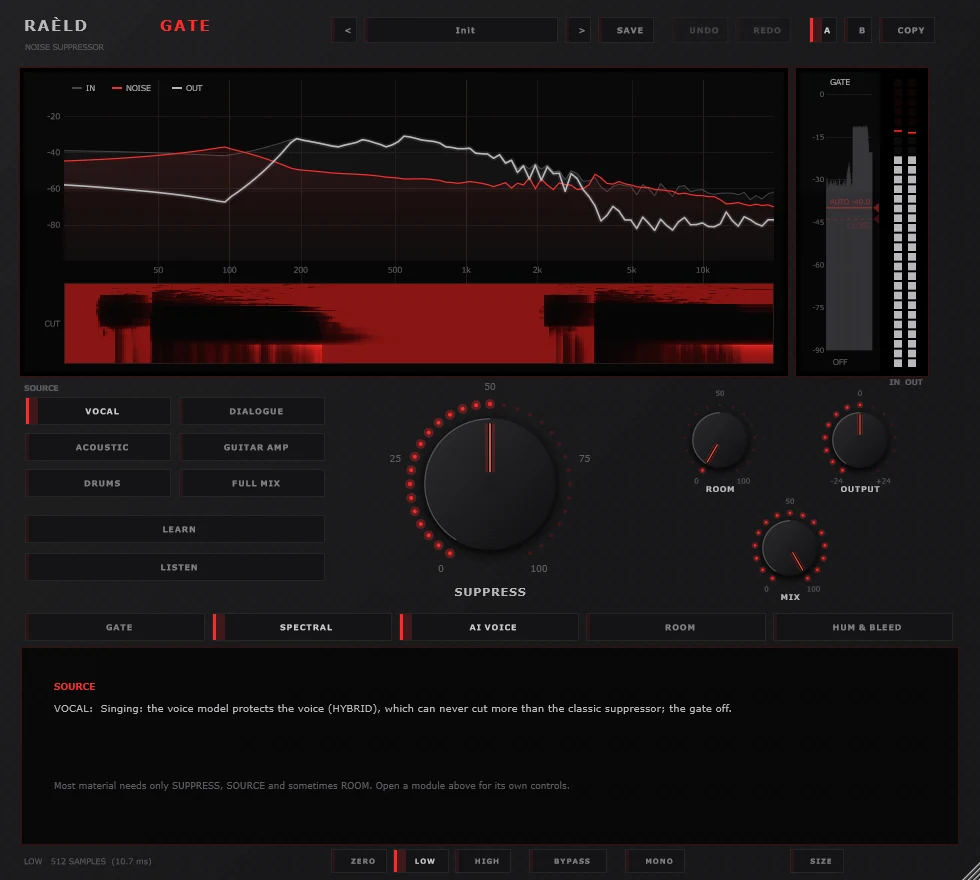
Three steps, most of the time
1. Pick the SOURCE
Vocal, Dialogue, Acoustic, Guitar Amp, Drums or Full Mix. Each one sets the modules up for that material: the voice model on speech, hum removal on an amp, the bleed gate on drums.
2. Set SUPPRESS
One big knob in the middle, 0 to 40 dB of noise reduction, with an arc of red lamps that shows how far. The suppressor finds the noise by itself and turns down only where the noise is. Or press LEARN over a stretch of noise alone.
3. LISTEN
Hear only what's being taken out. It should be noise. If you hear words, notes or attacks in it, back off. That's the rule Raèld Gate is built on: remove the noise, never the voice or instrument.
Every kind of noise, its own tool
Most material needs SUPPRESS, SOURCE and sometimes ROOM. Each module has its own panel when you want more. Pick one below to see it.
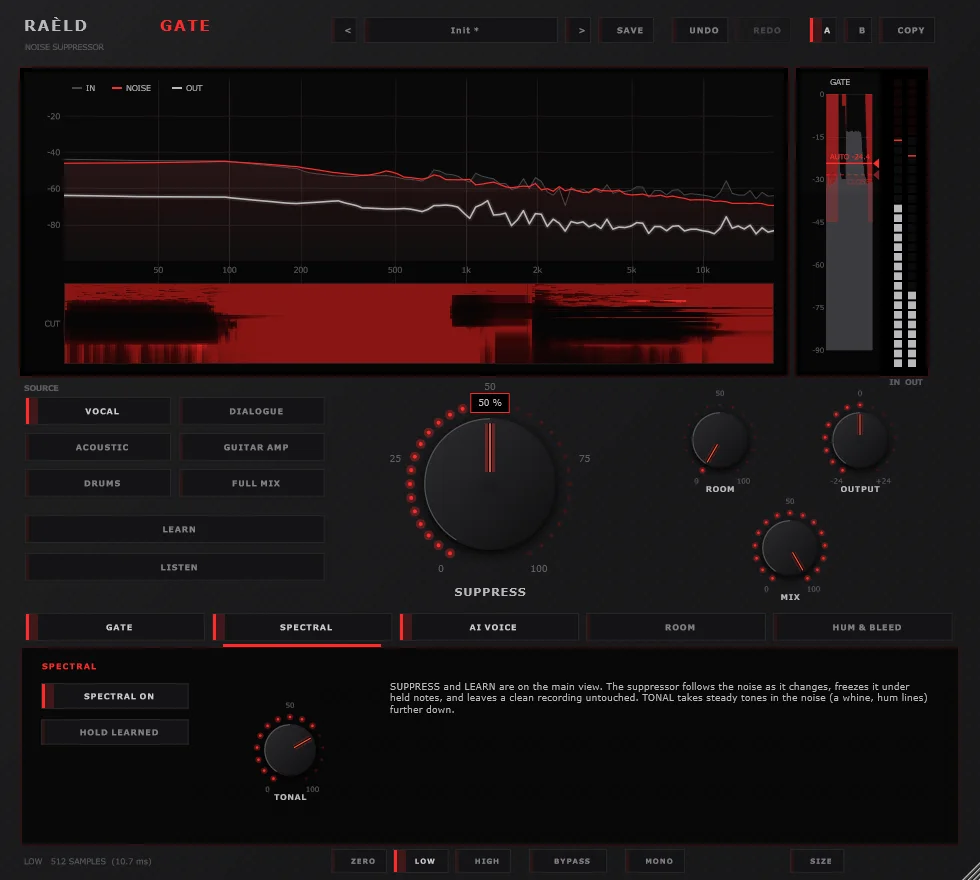
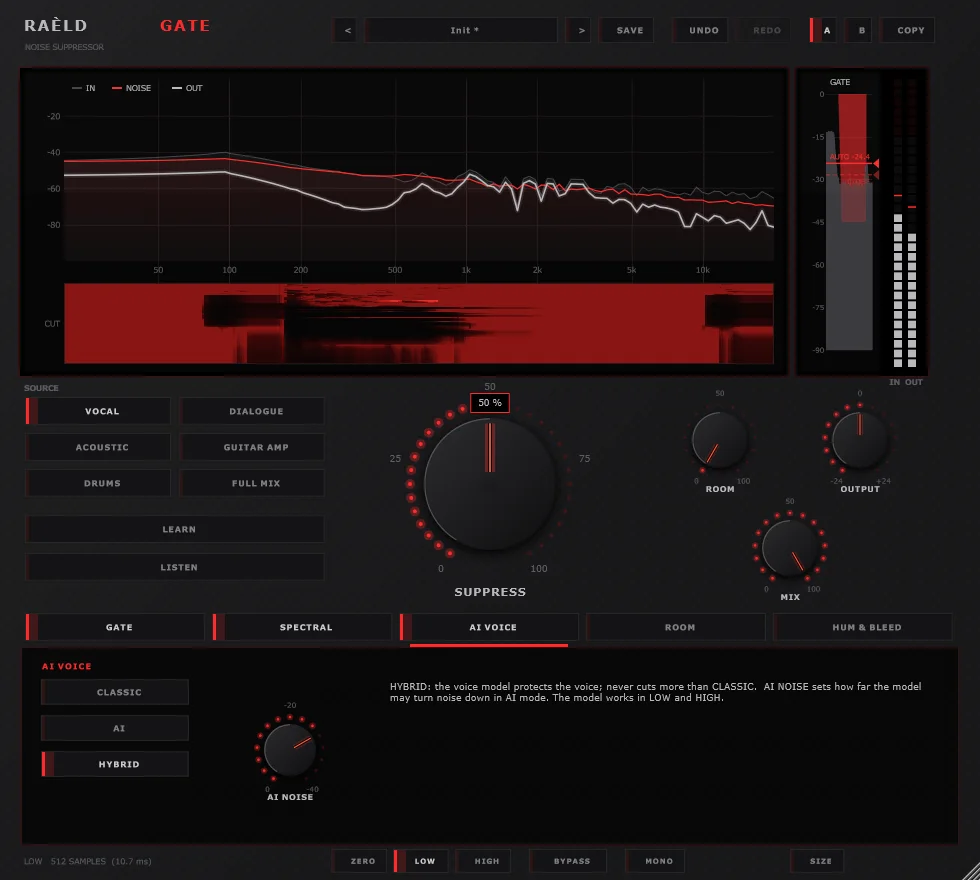
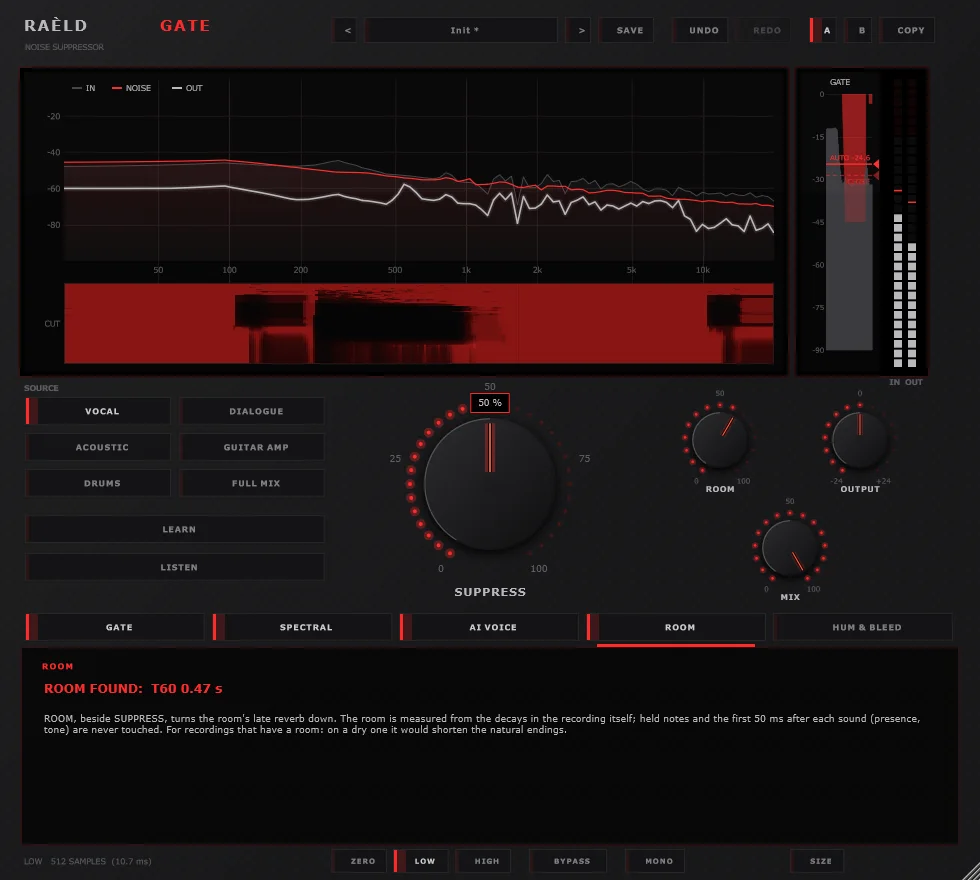
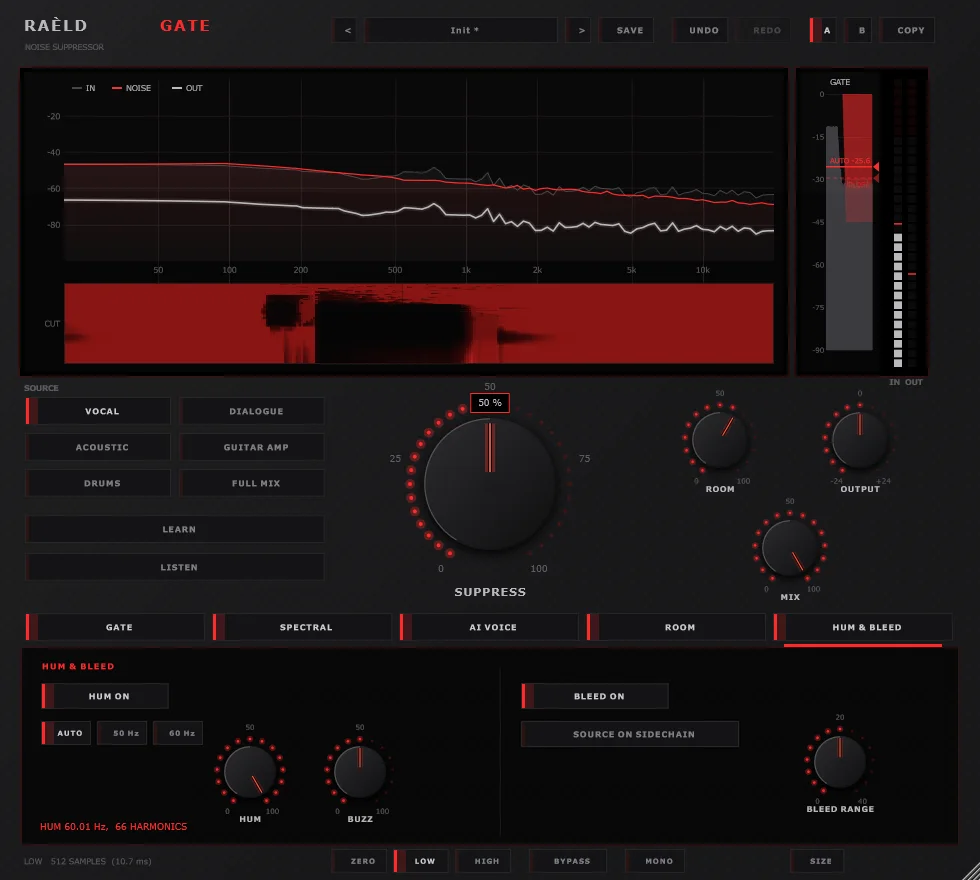
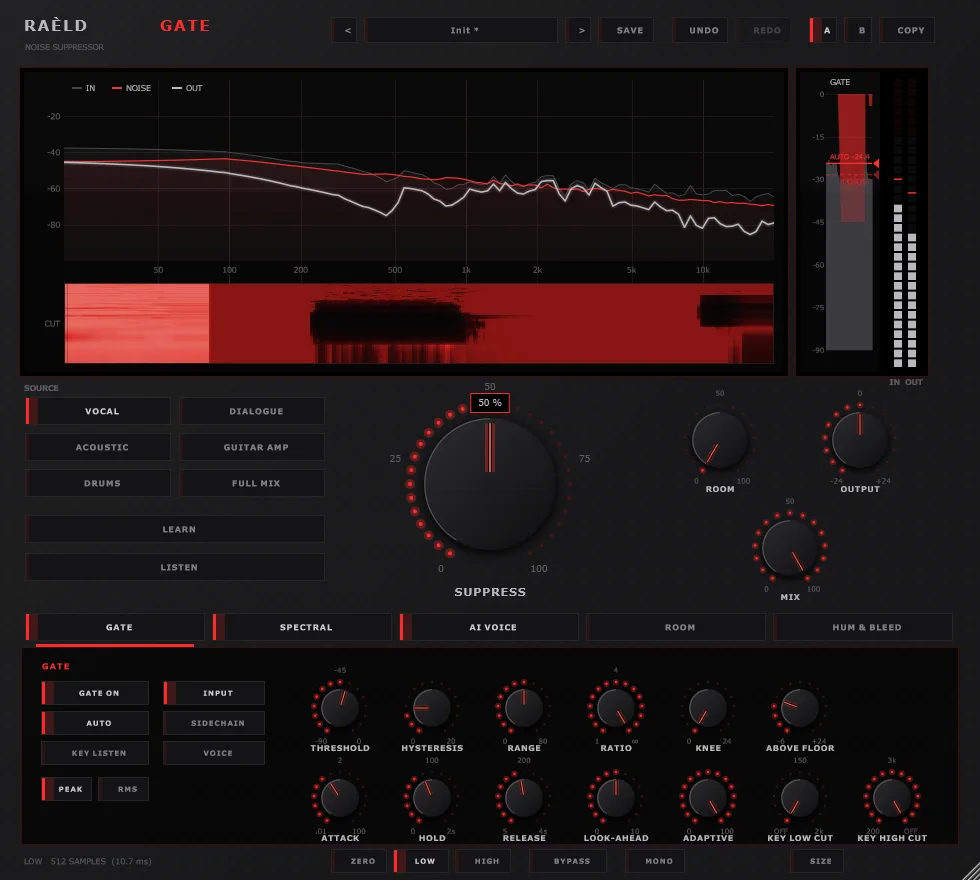
SPECTRAL · follows the noise as it changes, holds still under held notes
Set up for what you're cleaning
| Source | What it sets up |
|---|---|
| Vocal | The voice model protects the singing voice (HYBRID: it can never cut more than the classic suppressor). Gate off. |
| Dialogue / Podcast | The voice model removes the noise itself, crowds and traffic included; a gentle gate keyed by the voice closes the pauses. |
| Acoustic | The classic suppressor alone; held notes and decays kept. |
| Guitar Amp | Hum and buzz removed; a gate that ignores the low end closes between phrases. |
| Drums | A fast gate with look-ahead, and the bleed between hits turned down band by band. |
| Full Mix / Live | The classic suppressor alone, steady tones taken down gently. Gate off. |
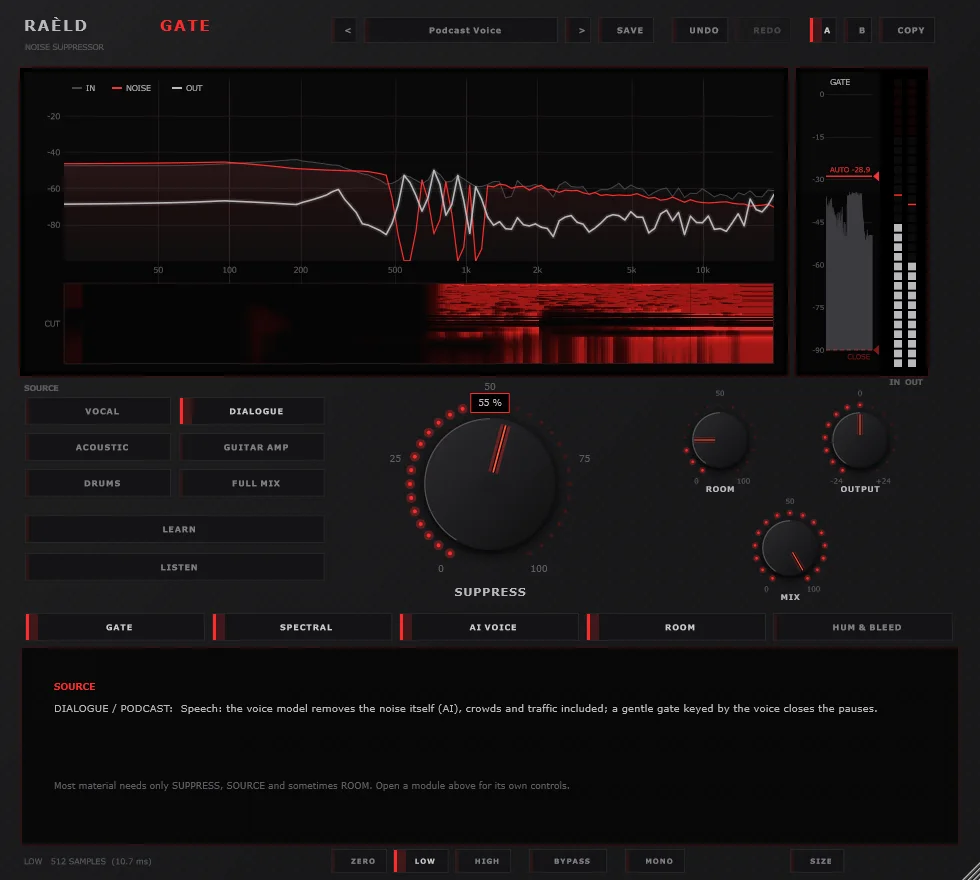
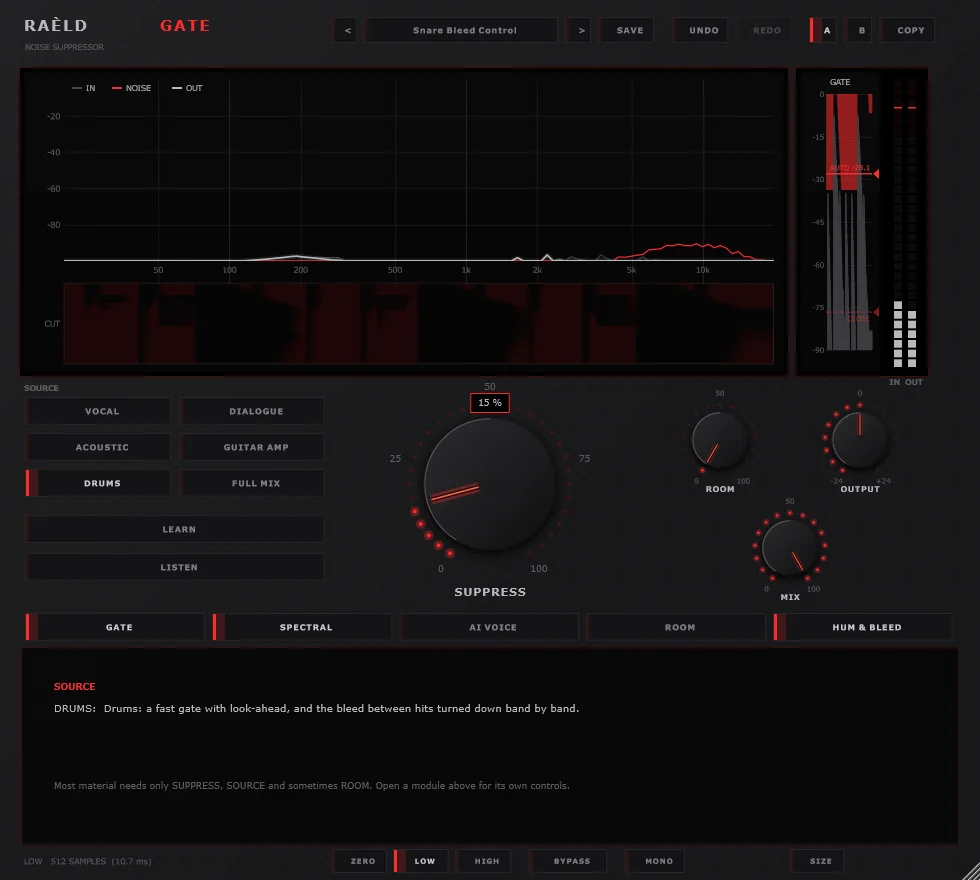
Podcast Voice (left) and Snare Bleed Control on a snare with hi-hat bleed (right).
Zero for tracking, high for the mix
ZERO
No delay, for tracking and live monitoring: 16 band filters, the gate, hum and bleed. For light noise; no voice model.
LOW
10.7 ms at 48 kHz, the default: the full spectral suppressor and the voice model.
HIGH
85 ms at 48 kHz, for mixing and post: the finest frequency detail and look-ahead, and drum bleed learned from a sidechain mic.
The delay is reported to your DAW, which keeps the track in time. BYPASS and MIX are time-aligned, so they never click or comb-filter.
What we measured
Our test set: a sung line with breaths, soft phrases and word endings under each kind of noise, drums with bleed, and speech under real noise, each with the preset made for it. "Noise" is how far it came down; "voice" is how much the voice changed (0 = untouched).
| Material | Preset (latency) | Noise | Voice |
|---|---|---|---|
| Singing, room tone 10 dB under | Init (HIGH) | −20 dB | −0.3 dB |
| Singing, fan 10 dB under | Init (HIGH) | −20 dB | −0.3 dB |
| Singing, computer hiss and whine | Bedroom Vocal Rescue (HIGH) | −26 dB | −0.0 dB |
| Singing, traffic | Init (HIGH) | −18 dB | −0.1 dB |
| Singing, 60 Hz hum and buzz | Init + HUM (HIGH) | −24 dB | kept |
| Singing in a room, reverb time 0.6 s | Echoey Room Fix (HIGH) | late reverb −7 dB | −0.1 dB |
| Snare, hi-hat bleed 30 dB under | Snare Bleed Control (LOW) | −34 dB between hits | hits untouched |
| Speech, room tone 10 dB under | Podcast Voice (HIGH) | −27 dB | −0.5 dB |
| Speech, traffic 5 dB under | Noisy Room Dialogue (HIGH) | −30 dB | −1.0 dB |
| Nothing to take out (LOW, HIGH) | any | the input, bit for bit, delayed by the latency | |
| CPU, stereo 48 kHz, every module on | ZERO / LOW / HIGH | about 3.6 / 4.3 / 5.0 % of one core | |
Good to know before you start
Parts of a sound that sit under the noise (a soft breath under loud room tone) go down with it: nothing can separate them. LISTEN shows you what's going.
The AI voice model was trained on speech. On singing and instruments it only protects the voice; it doesn't do the removing.
ROOM is for recordings that have a room. On a dry vocal it would shorten the singer's own endings.
Twelve presets for real jobs
| For | Presets |
|---|---|
| Vocals | Init, Vocal Booth Clean, Bedroom Vocal Rescue, Echoey Room Fix, Live Stage Vocal |
| Speech | Podcast Voice, Noisy Room Dialogue |
| Instruments | Amp Hum Killer, Acoustic Guitar Clean |
| Drums | Snare Bleed Control, Kick Tighten |
| Location sound | Field Recording Rescue |
Plus your own, with A / B compare, undo and redo.
2.0 is a free update
Raèld Gate 2.0 replaces 1.0: same plugin, same licence. Your 1.0 sessions open with their settings translated (MODE becomes SOURCE, REDUCTION becomes SUPPRESS, the learned noise becomes the print, the gate keeps its settings), and your 1.0 user presets are rewritten once for 2.0, with the originals kept. The sound is new, so a 1.0 session sounds close to before, not identical.
Own it, or get it with everything else
Raèld Gate
One-time payment. No subscription.
- Five modules, six sources, plugin and standalone
- One license for up to 3 of your computers
- Never expires, works offline 30 days at a time
- Download link and license key by email, instantly
Every Raèld plugin
or $99/year
- Raèld Gate plus every other Raèld plugin
- Every new plugin the day it's released
- One key for all of them, on 3 computers
- Cancel anytime
Secure checkout by Lemon Squeezy. Sales tax and VAT calculated at checkout.
Windows 10/11 (64-bit), VST3 and standalone. Download Raeld-Gate-2.0.0-Windows.zip; DAWs list it as "Raeld Gate", so type "raeld" to find it.
Good to know
Do I need to LEARN the noise?
Usually not: the suppressor finds the noise by itself within the first second or so, and follows it as it changes. LEARN helps when the recording starts straight on the voice, or the noise is unusual: press it over a stretch of noise alone, then press again. The print is saved with your session.
Is the AI for singing too?
The voice model was trained on speech. On speech (the Dialogue source) it removes the noise itself, crowds and traffic included. On singing and instruments it only protects the voice from the suppressor (HYBRID), and never cuts more than the suppressor would. On a clean recording it changes nothing.
How far does it take the noise down?
SUPPRESS goes to 40 dB, ROOM to 30 dB, the gate to 80 dB. How far is right depends on how loud the noise is next to the sound: parts of a sound that sit under the noise go down with it. Set it by ear and check with LISTEN.
Can I use it while recording?
Yes, in ZERO latency: no delay at all, with 16 band filters, the gate, hum and bleed. It's meant for light noise. For heavy noise use LOW (10.7 ms) or HIGH (85 ms) when mixing; the delay is reported to your DAW.
Does it work on mono tracks?
Yes. It runs on mono, mono-to-stereo and stereo tracks, and your DAW picks automatically; a sidechain input is there for the gate's key and for drum bleed. The MONO button folds the output to mono, to check a mix in mono. It isn't saved in presets.
I own 1.0. What happens?
2.0 is a free update with the same licence key. Install it over 1.0: your sessions and user presets open translated.
Can I try it first?
Yes. Without a key it runs as a full demo; the only limit is a short dropout every 45 seconds. Enter a Raèld Gate key or your All Access key any time to unlock it.
Read the Raèld Gate manual · Download · All support questions →
Raèld Gate is an original design and is not affiliated with or endorsed by any other manufacturer. Its AI voice model is RNNoise, used under the BSD-3-Clause licence.