
Raèld Compose. A whole song idea, yours to shape.
Choose a style, or blend two or three, and press GENERATE: the form of a song and every part it needs, drums, bass or 808, chords, keys, guitars, pads and the lead, written as editable MIDI. Shape it until it's yours, hear it on built-in sketch sounds, and drag it into your DAW.
One-time payment · 3 computers · Instant download
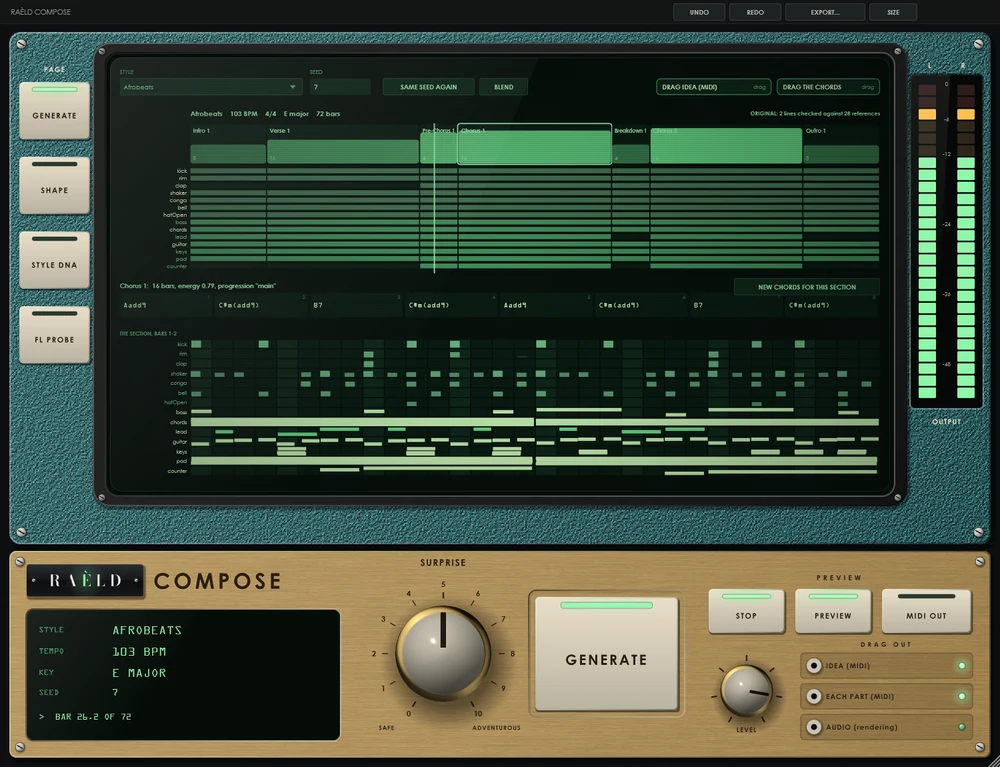
From a style to a song you can drag
Every idea comes from a seed: the same style, seed and setting always make the same song, so nothing you liked is ever lost.
Choose a style
Afrobeats, Amapiano, R&B, three drill scenes, Gospel, House, Highlife, Dancehall, jazz- and Latin-influenced and many more, or a blend.
GENERATE
A form, harmony, groove, bass, melody and every supporting part. SURPRISE goes from the style's favourite choices to its rarer ones.
Shape it
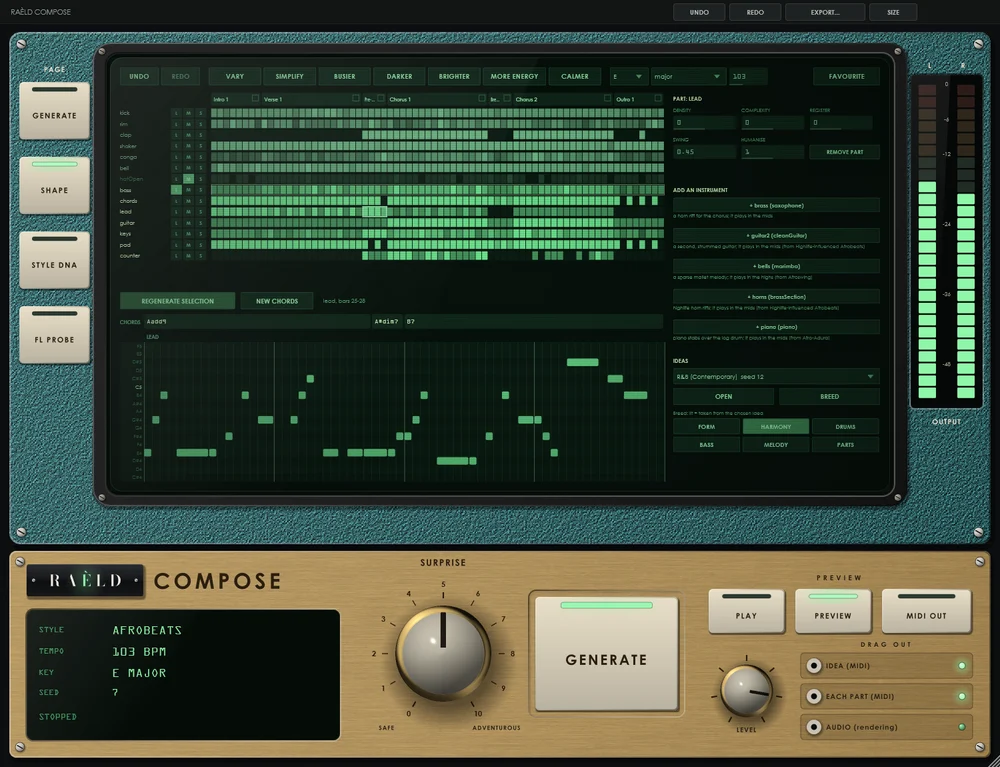
Lock what you like, regenerate a part, a section or a few bars, change the key, chords, tempo or feel, edit notes. Undo everything.
Drag it out
The whole idea as one MIDI file with named tracks, a chord track and section markers, every part on its own, or the preview as audio.
A composer's desk console
Built like a piece of studio furniture: a petrol-teal hammertone bay with a green phosphor screen, over a brushed-brass deck with ivory knobs, cream keys lit by green light pipes and LED ladder meters. Everything about the song is on the screen; GENERATE, SURPRISE and the transport are on the deck, within reach. It scales from 85 to 200 %.
Endless, and always in the style
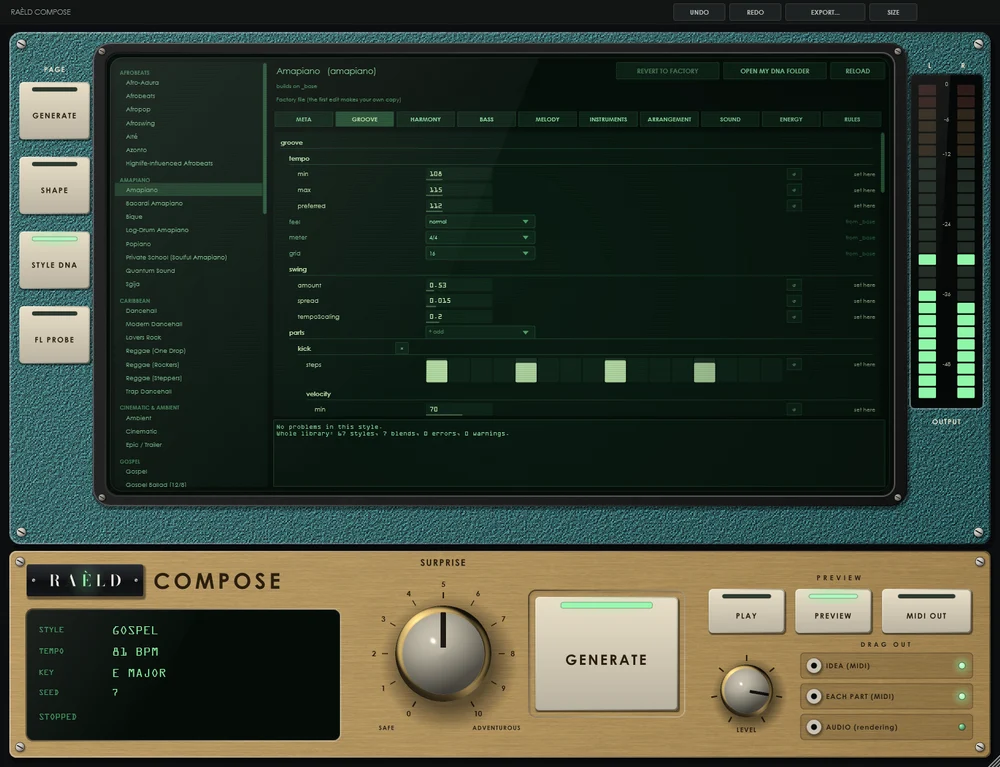
Deep styles
17 genres and 50 subgenres, each with its own tempos, swing, grooves, harmony, bass movement, melody habits, instruments and song forms, drawn by probability, never a fixed formula.
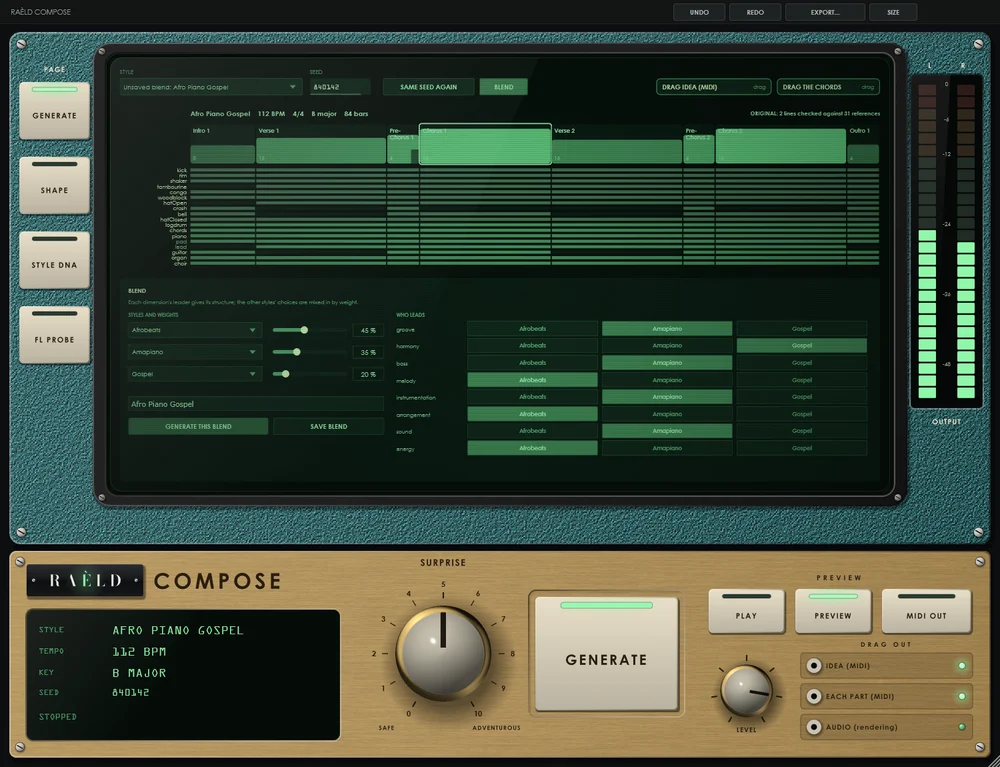
Blends that make sense
Choose which style leads each dimension. Leaders keep their structure, the others mix in their colour; styles at different tempos meet in half or double time.
Shape every part
Regenerate a part, a section or a few bars and keep the rest exactly. Vary, simplify, busier, darker, brighter, more energy, calmer. Breed two ideas. Undo and redo everything.
Into your DAW
Drag the idea as multi-track MIDI with named tracks, a chord track, section markers and tempo, one part at a time, or as audio. MIDI OUT plays the notes into your own instruments.
Hear it at once
Built-in sketch sounds made in code: drums, 808 and log drum, bass, keys, piano, organ, guitars, pads, strings, mallets, brass, leads and voices, in time with your DAW.
Original by design
No songs inside, only style patterns. Every new melodic line is checked against public-domain melodies, your earlier ideas and any references you add, and drawn again if it's too close.
Tested on thousands of songs
Every style and blend, through the plugin as a DAW loads it.
| Test | Result |
|---|---|
| 2,960 songs, every style and blend | none outside its style's limits; every note in key |
| 20 seeds of one style | no two ideas the same; leads alike in 5 % of pairs at most |
| Originality, 1,480 ideas | none too close to a public-domain tune; lines too close to an earlier idea redrawn, every one |
| 2,634 shaping edits | locks held; every idea rebuilt exactly from its edits |
| Speed | a whole song in 5 ms; a part drawn again in 10 ms |
| In a host | the same sound and MIDI at every rate and buffer, bit for bit; sessions reopen exactly |
Where it's weaker: the newest subgenres are drawn from informed generalisations and are still being tuned by ear, and the built-in sounds are sketches to hear the idea by, not production sounds.
Own it, or get it with everything else
Raèld Compose
One-time payment. No subscription.
- Every style and blend, shaping, preview and export, plugin and standalone
- One license for up to 3 of your computers
- Never expires, works offline 30 days at a time
- Download link and license key by email, instantly
Every Raèld plugin
or $99/year
- Raèld Compose plus every other Raèld plugin
- Every new plugin the day it's released
- One key for all of them, on 3 computers
- Cancel anytime
Secure checkout by Lemon Squeezy. Sales tax and VAT calculated at checkout.
Windows 10/11 (64-bit), VST3 instrument and standalone. Download Raeld-Compose-1.0.0-Windows.zip; DAWs list it as "Raeld Compose", so type "raeld" to find it.
Good to know
Are the ideas mine to use?
Yes. Compose holds no songs: it writes from style patterns (tempos, grooves, harmony, melody habits, arrangement). What it writes for you is yours. Its originality check is a filter, not a legal clearance, so judge every song by ear as you would any song you write.
Was it trained on other people's music?
No. There is no model trained on songs, recordings or MIDI. The styles are written as editable data from documented research on each genre, and you can open and tune every number.
Does it make sounds, or only MIDI?
Both. It writes MIDI for your own instruments, and plays it on built-in sketch sounds so you can hear the idea right away. You can also drag the preview out as audio.
Does it work in FL Studio?
It's built for it: load it as a Generator, drag the idea onto the playlist or a single part onto a channel or piano roll. It works in any DAW that loads VST3 instruments.
Can I try it first?
Yes. Without a key it runs as a full demo; the only limit is a short dropout in the preview's sound every 45 seconds. Enter a Raèld Compose key or your All Access key any time to unlock it.
Read the Raèld Compose manual · Download · All support questions →
Raèld Compose is an original design and is not affiliated with or endorsed by any other manufacturer. Style names describe musical genres, not artists.